Two designers worked on the design system and supporting modules, including sign-in, settings and the knowledge base, under my direction and review.
Case study · Internal helpdesk & SaaS
DeskIt
Designing a helpdesk that adapts to how each department works.
DeskIt began as a way to make in-house requests easier to track. We developed it into a configurable product that brings departmental requests, assigned work, discussions and knowledge into one shared system.
The challenge
Replace informal internal requests and manual follow-ups with a shared system that accommodates different departments.
My contribution
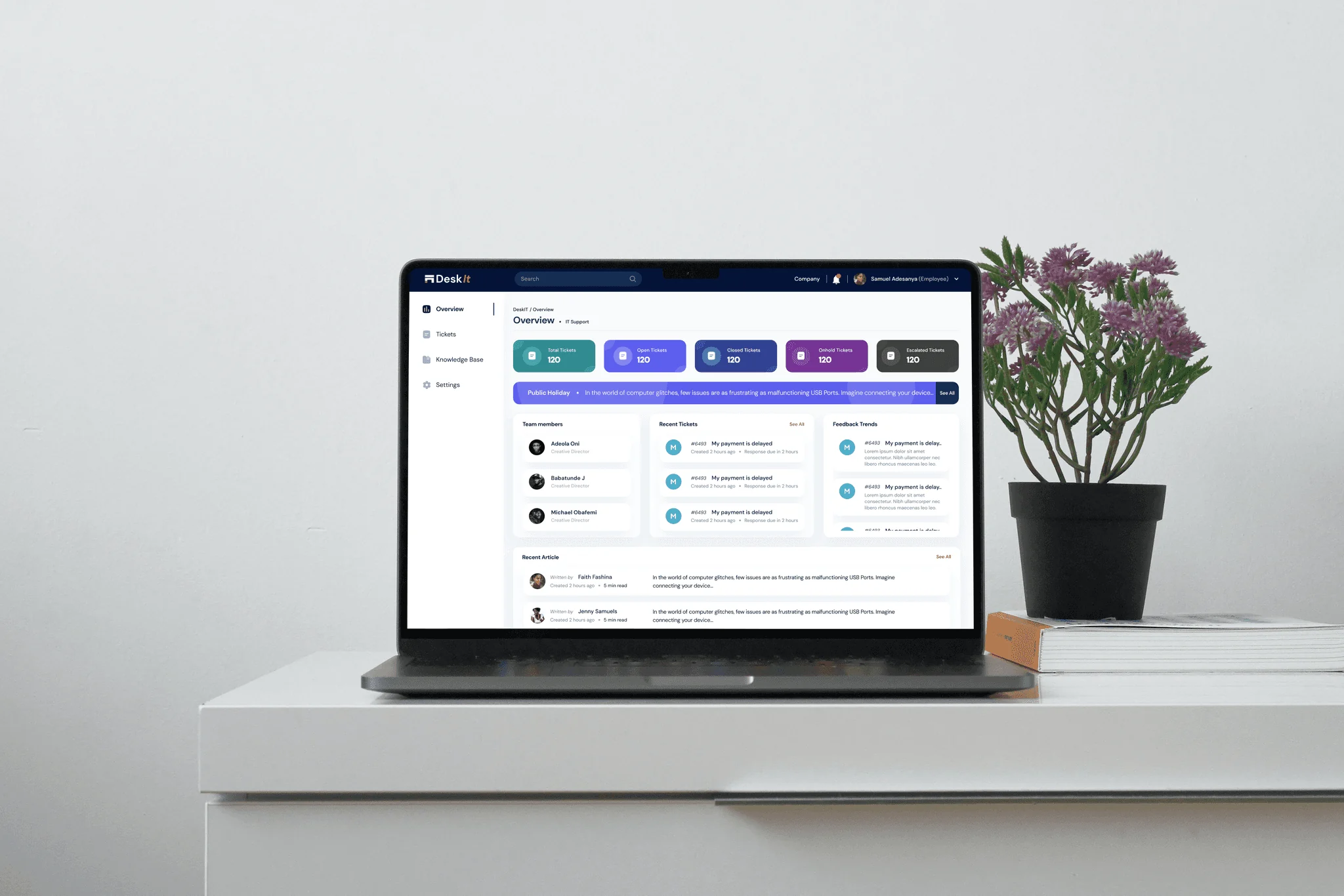
I led a three-person design team, designed the dashboard and ticket flows, and directed the design system and supporting modules.
Key decision
Start every ticket with a familiar structure, then show fields specific to the selected department and category.
Outcome & status
A designed and built helpdesk supporting department-specific requests, ticket tracking, discussions and project milestones.
(01)Overview
From a conversation to a request that can be followed.
DeskIt began with the way our own company handled internal requests: find the right person, explain the issue, and follow up manually. We developed it for our team, then expanded it into a product organisations could configure around their departments and workflows.
(02)The problem
Requests were made. Their progress was harder to see.
In-person requests left too much to memory. The person asking for help had no reliable way to follow its progress, while the person handling it could lose important context between conversations.
Details could be forgotten.
A conversation did not create a persistent record of the issue, its context or its owner.
Updates meant asking again.
The requester could not check progress without finding the person or department handling the work.
Departments needed different inputs.
One generic form could not capture the details needed for IT, procurement, logistics, HR and project requests.
(03)Discovery
Understand the work before shaping the form.
We surveyed colleagues and interviewed people in the company to understand how they requested help and how departments received and handled those requests.
Listen across departments
Gather the recurring requests, departmental categories and the information teams needed before they could act.
Inventory the fields
List ticket creation requirements across departments, then separate common information from fields specific to each type of work.
Map the shared flow
Keep ticket creation consistent at the start while allowing the form to change after the user chooses a department and category.
(04)Core design decision
One ticket structure. Different information when it matters.
Raising a ticket was the intersection of every department. The form needed to be familiar to the requester and specific enough for the receiving team to begin work.
Shared starting point
What every request needs.
SubjectDescriptionDepartmentCategoryPriorityLocation
Shown by department and category
Details that make the work actionable.
Vendor and budgetRide or delivery detailsProject milestonesDue dateAttachments
This field inventory became the basis for department-specific ticket forms within a shared request flow.
Buying with context
Items, quantities, budget allocation and vendor offers give the receiving team the details needed to review a purchase.
Moving people or goods
Ride and order requests can collect the route, timing, passengers, package and driver details relevant to the job.
Work with milestones
A project ticket can include milestones and dates, then show progress within the ticket detail view.
(05)The ticket journey
Make each stage clear to the people involved.
The design follows a request from creation to assigned work, discussion and status changes. Each screen gives the user the information needed at that stage.
01 / Raise
Start with the request.
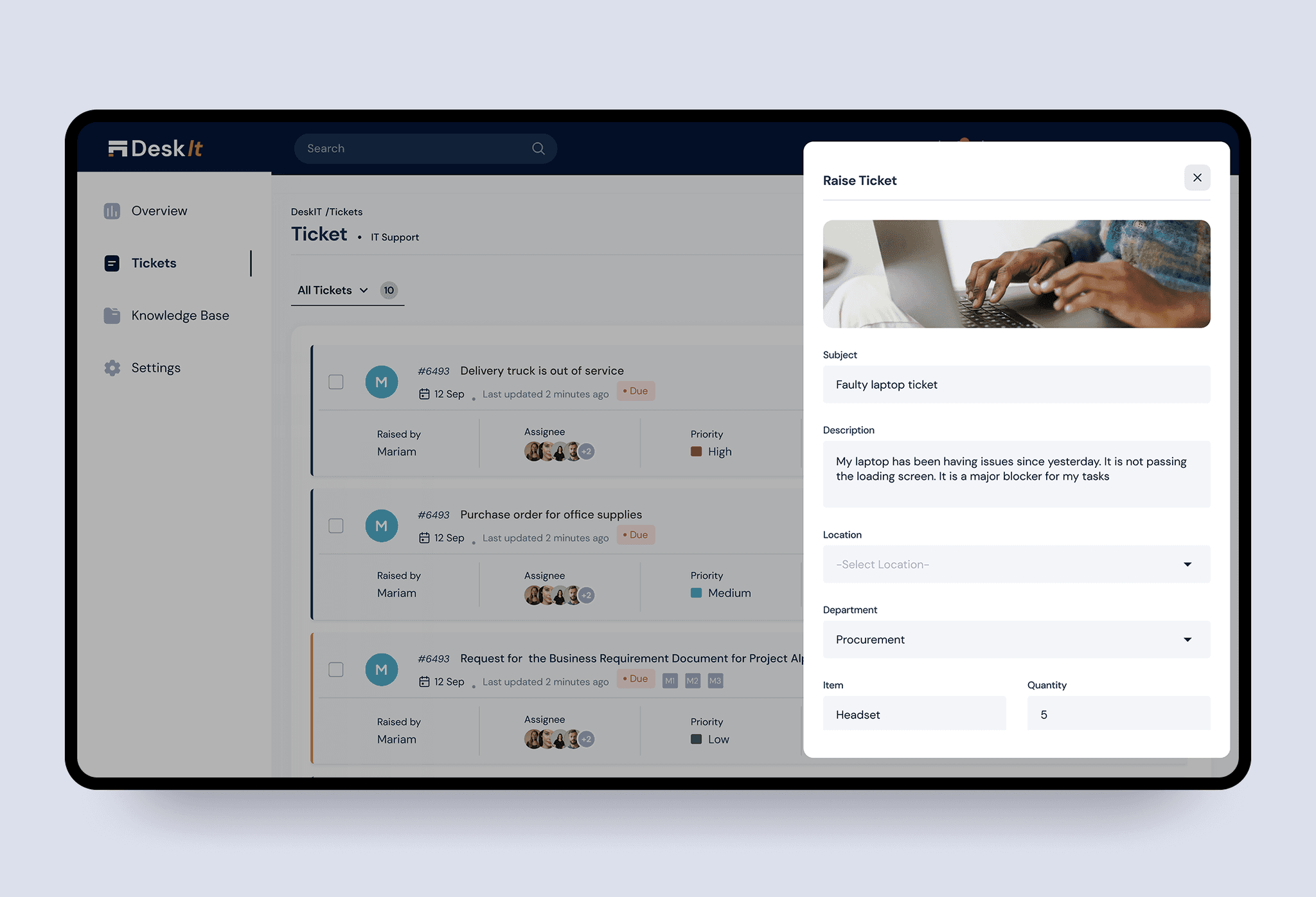
Users describe the issue, choose a department and category, and add the details needed for that kind of work. The form also supports attachments, due dates and recurring requests.
02 / Prioritise
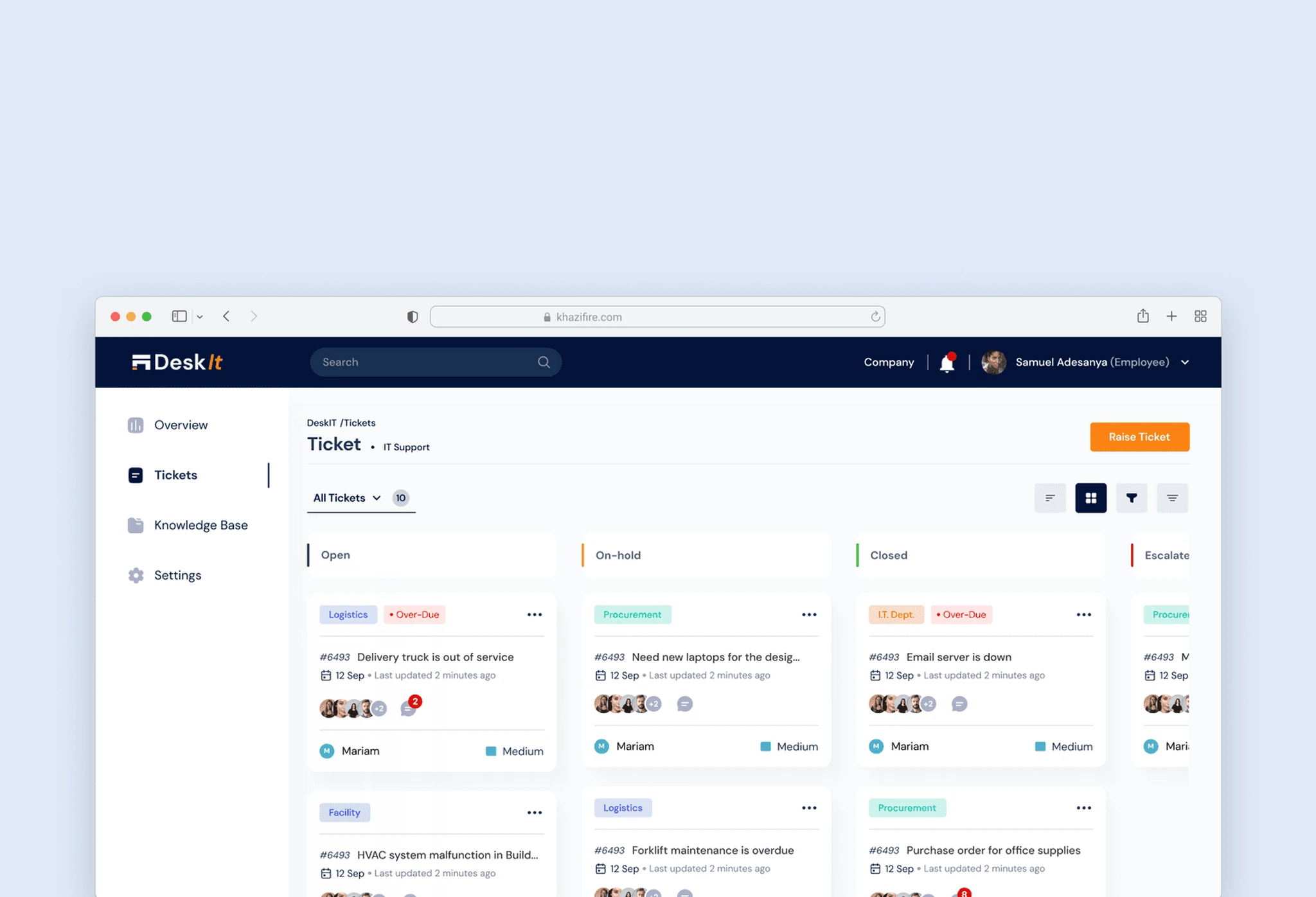
See the state of the queue.
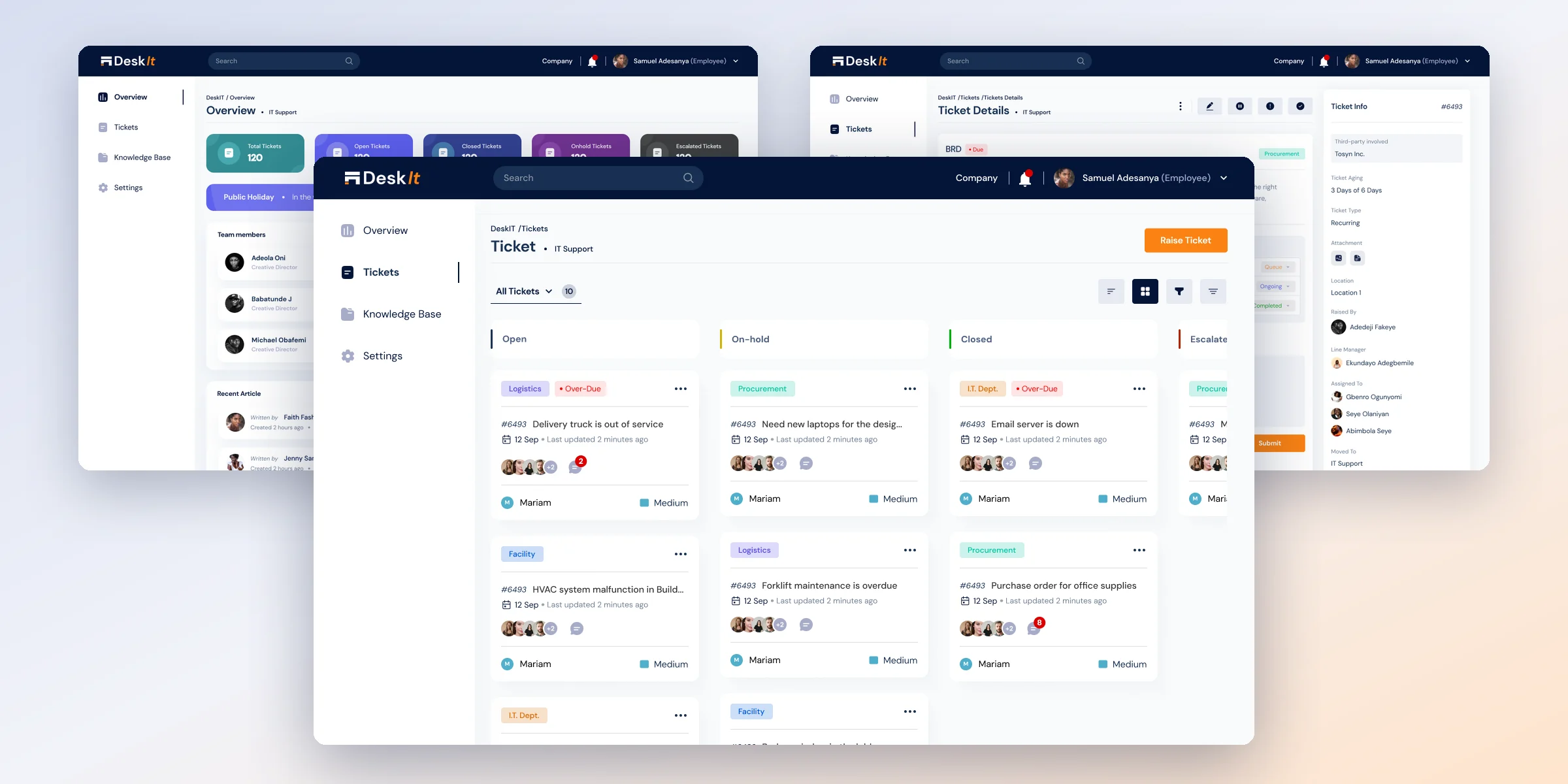
Ticket views separate open, on-hold, escalated and closed work. Assigned tickets and list or grid views help teams find the requests they need to handle.
03 / Resolve
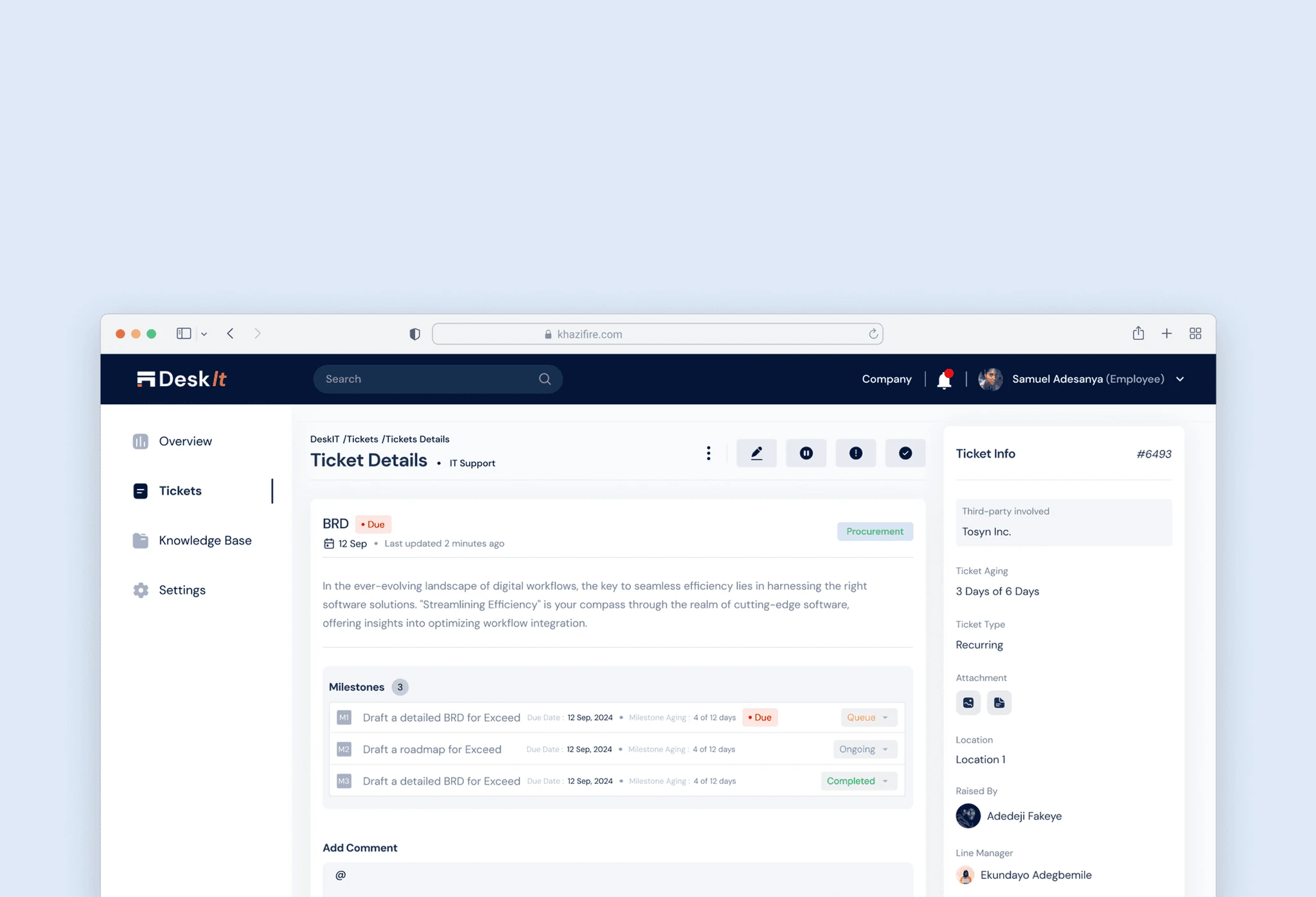
Keep the history together.
The detail view brings ticket ownership, priority, age, due date, attachments, comments, activity and feedback into one place. Project tickets also show their milestones.
(06)Testing and iteration
Repeated work needed more than a new ticket each time.
User testing and stakeholder reviews led us to extend the ticket flow for requests that recur, need to be submitted later, or overlap with existing work.
Schedule a request.
Allow a ticket to be created for a selected date and time instead of treating every request as immediate.
Make it recurring.
Support work that needs to be requested more than once on a regular schedule.
Clone a ticket.
Give users a way to reuse the structure and details of an existing request.
Merge similar tickets.
Bring related reports into one place so the work and discussion can be followed together.
(07)Design system
A consistent language for requests and work.
The other two designers built the system under my direction and review: DM Sans, a navy primary, orange for the main action, and named colours for ticket status and departments. DeskIt also has a dark mode.
Primary Colour#041438
Text colour 1#172F51
Secondary Colour#FA8212
Primary-200#949FAF
Icon colour 1#A6ABC8
Light :hover#DCE0E5
Light#E8EAEE
Background#F8FAFC
DM Sans
Page · 24 BoldTicket Details
Record · 16 MediumMy payment is delayed
Body · 14 RegularLast updated 2 minutes ago
Label · 12 MediumPRIORITY · TICKET STATUS
Status and teams.
Open ticket#172F51
Ticket on-hold#D3B206
Escalated ticket#B22405
Closed ticket#07B20E
Departmentstinted at 20%
Components
Raise ticket form
Faulty laptop ticket
- Select Department -
- Select -
12 May, 2024
Set Recurring Time
Click to upload or drag and drop
PNG, JPG, PDF. Max. file size: 5MB
Raise Ticket
PNG, JPG, PDF. Max. file size: 5MB
Ticket row
Action menu
Ticket status
M
#6493 My payment is delayed • Due12 Sep · Last updated 2 minutes ago
OpenOn-holdEscalatedClosed
Department tagsLogisticsProcurementI.T. Support
Filters
Filters
Icon button · default, hover, active
Search filter
Department
Priority
Status
Toggle
Milestones
Resolve option
Milestones 3
Milestone detail
M1Draft a detailed BRD for ExceedDue Date : 12 Sep, 2024 • Milestone Aging : 4 of 12 days• DueQueue
M2Draft a roadmap for ExceedDue Date : 12 Sep, 2024 • Milestone Aging : 4 of 12 daysOngoing
M3Review the BRD with ExceedDue Date : 12 Sep, 2024 • Milestone Aging : 4 of 12 daysCompleted
Milestone 1 • Due
Draft a detailed BRD for Exceed
Start Date : 12 Sep, 2024 • Due Date : 12 Sep, 2024 Queue
Third-party
Enter third-party name
Light and dark mode
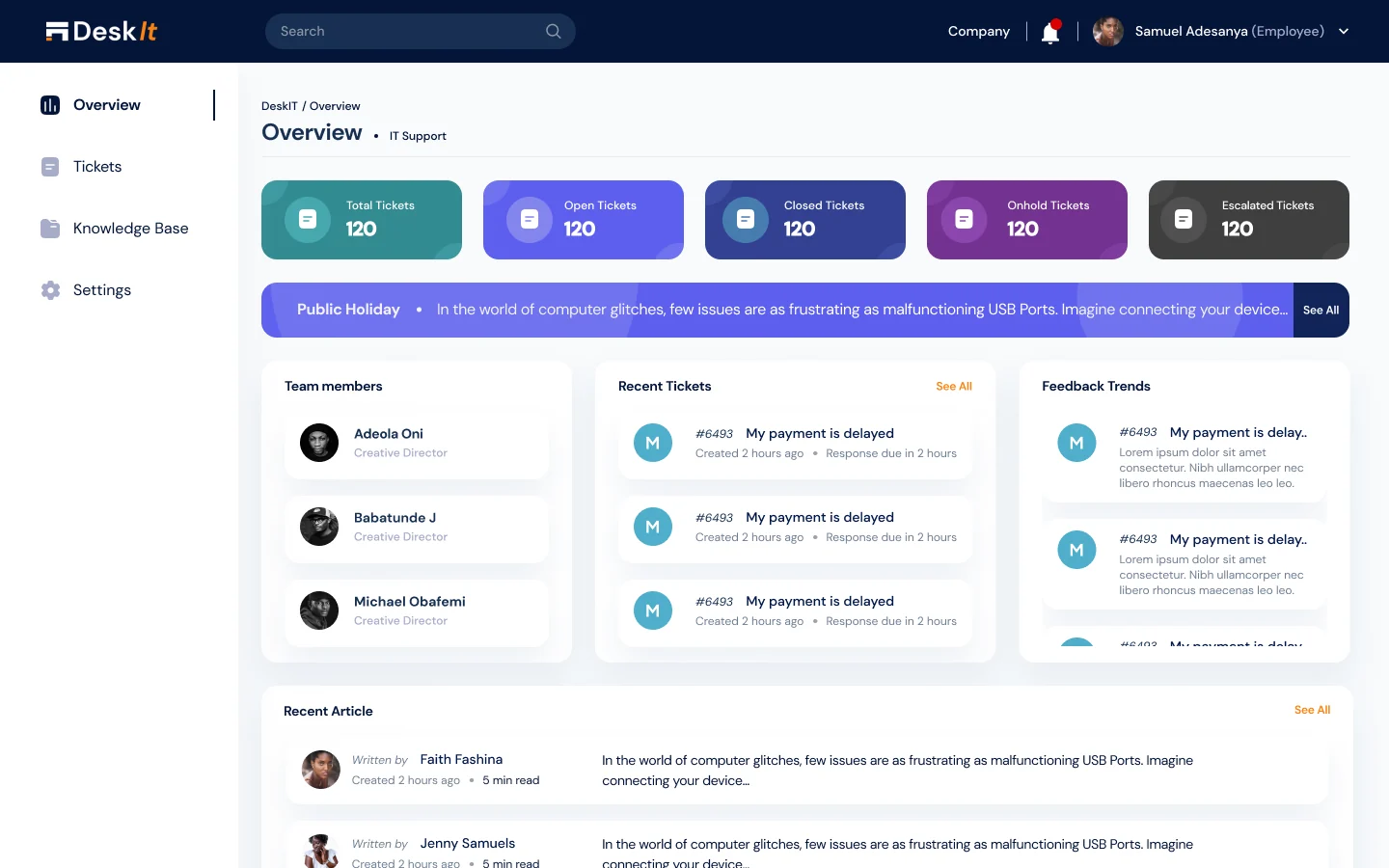
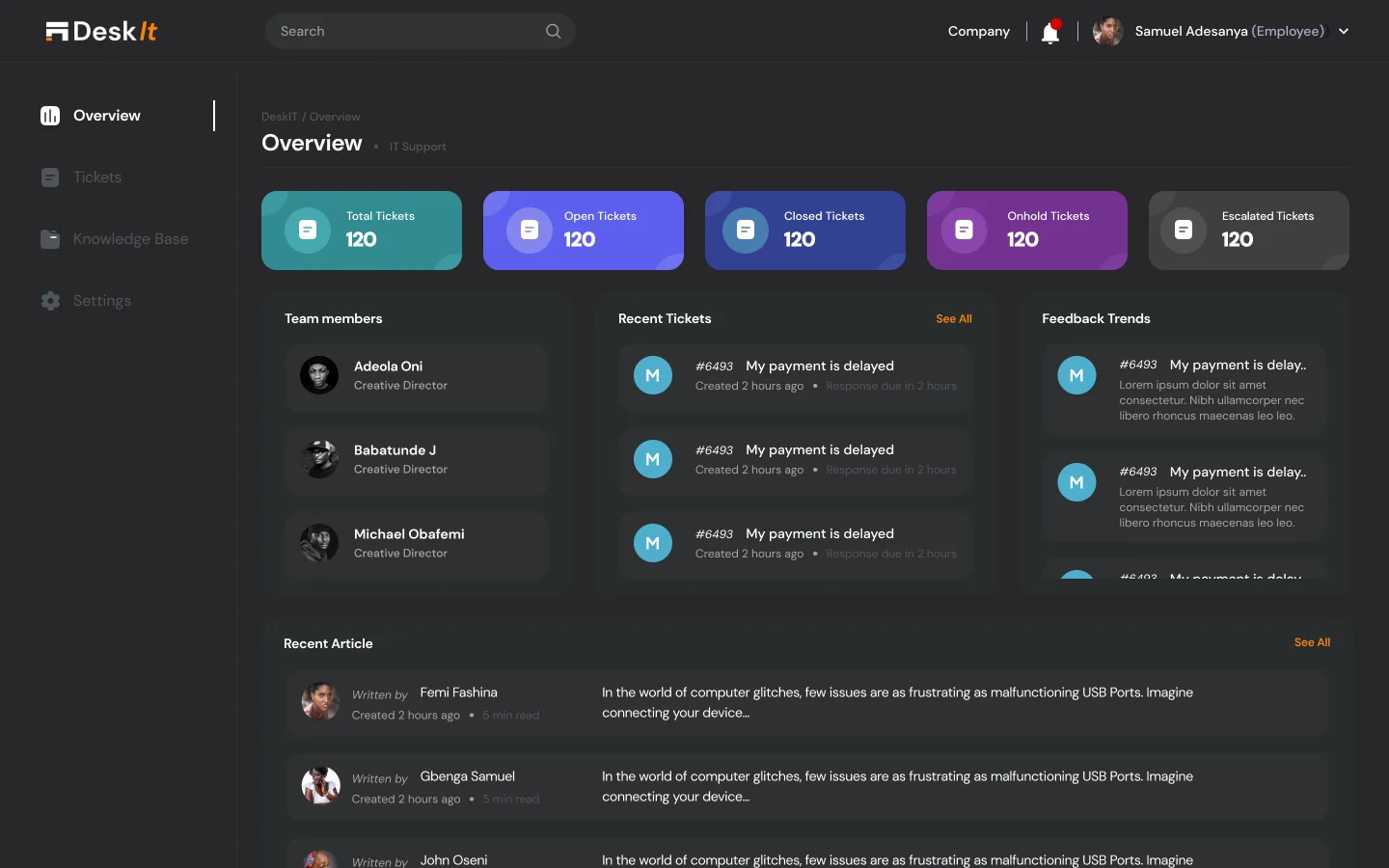
Dark mode swaps the navy and white surfaces for charcoal. The status colours stay the same, so tickets read the same way in either theme.
(08)Delivered experience
A built system for different kinds of internal work.
The team designed and built the department-specific ticket forms, ticket tracking and management, project milestones, feedback and knowledge base. Testing and stakeholder review shaped scheduling, recurrence, cloning and merging.
Shared request flow
A consistent way to start and follow requests across departments.
Specific information
Fields and milestones suited to the kind of work being requested.
Supporting context
Status, ownership, activity, discussion and knowledge within the product, in light or dark mode.
(09)Reflection
What leading this design taught me.
Standardise the beginning, then respond to context.
Ticket creation was the most difficult part of DeskIt because every department met at that point. Listing the fields across departments gave us a common starting point and made it clear which details should appear only for a selected type of request.
Keep the product coherent across the team.
I owned the dashboard and ticket flows while directing and reviewing the work on the design system and supporting modules. That coordination mattered because a request had to feel like the same product from sign-in and creation through tracking, discussion and resolution.