Case Study · Agricultural community & opportunity

Fharmer

Designing a shared platform for people in agriculture to connect, learn, find work and trade.

Fharmer connects farmers, students, traders, employers and job seekers through a social feed, communities and jobs. I designed the web, mobile and admin experience, including Research and a request-led Demand Hub that remained in development.

Role
Sole freelance product designer
Platforms
Web · Mobile · Admin
Timeline
12 months
Year
2024
Status
Feed, Community & Jobs launched
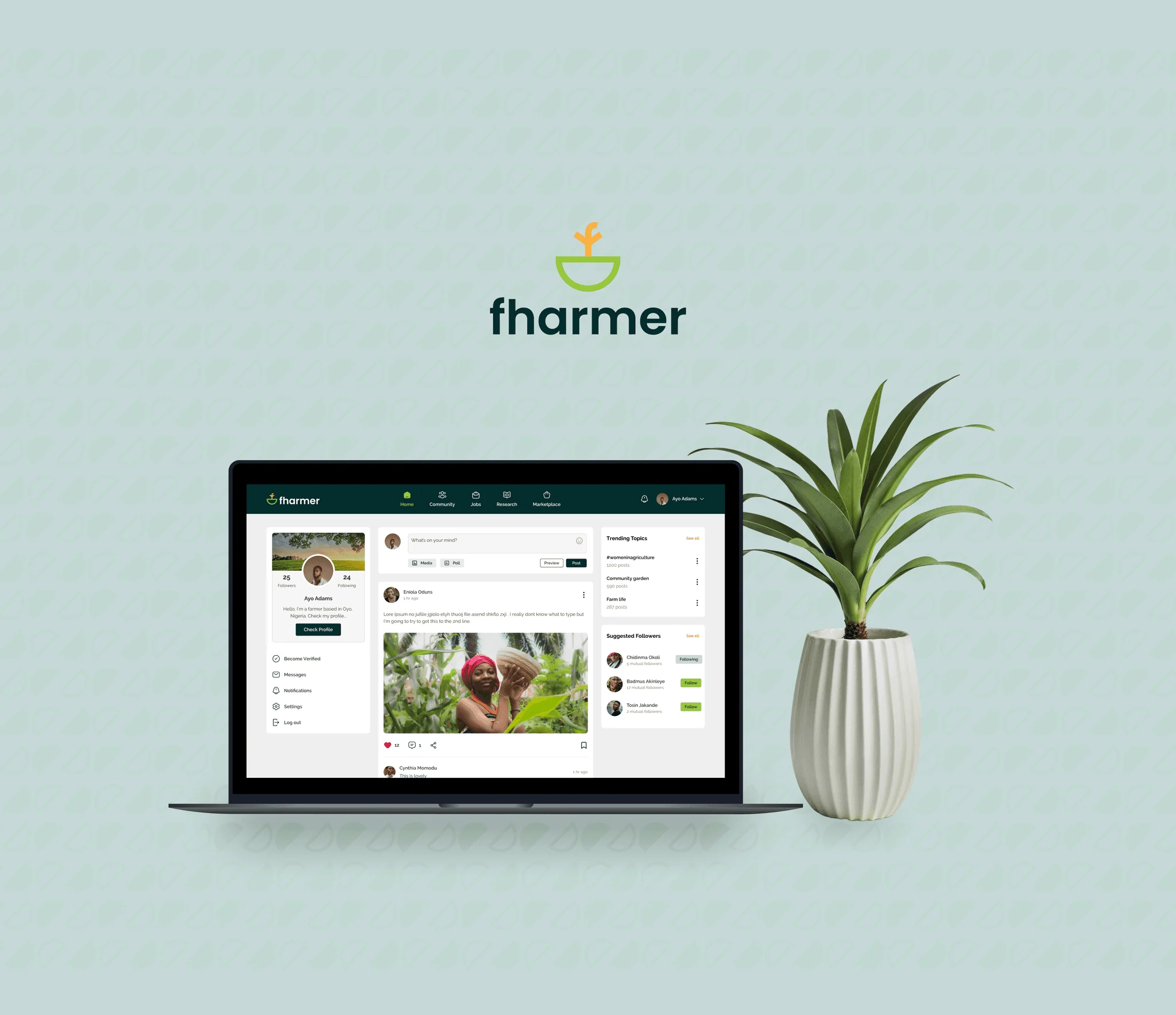
Fharmer on a laptop
Fharmer · Agricultural networkConnection, knowledge, work and trade in one place.

The challenge

Bring social interaction, agricultural jobs and trading into one platform for people with different needs.

My contribution

As the sole freelance Product Designer, I designed the web, mobile and admin experiences and adapted the marketplace as its direction changed.

Key decision

I designed connected buyer and supplier flows for the request-first model, from posting a need and comparing offers to negotiating, paying and confirming delivery.

Outcome & status

Feed, Community and Jobs launched, with approximately 350 users reported in the June 2024 pitch deck. Demand Hub remained in development.

(01)Overview

A social network for people who work in agriculture.

Fharmer began as a social platform for farmers, students, traders, employers and job seekers.

Each group came for something different. Farmers and students wanted to share and learn, employers and job seekers wanted to hire and find work, and traders wanted to buy and sell. Those activities usually live in separate places: social apps, job boards and online marketplaces.

Team & process

I joined before the product existed and worked in weekly sprints with the product owner, product manager, engineers and marketer.

What we built was shaped by interviews, competitor analysis and the product owner’s 10+ years in agriculture. I made the design decisions; what went into each release was agreed with the team and the product owner.
(02)The product

Five activities, each with its own place.

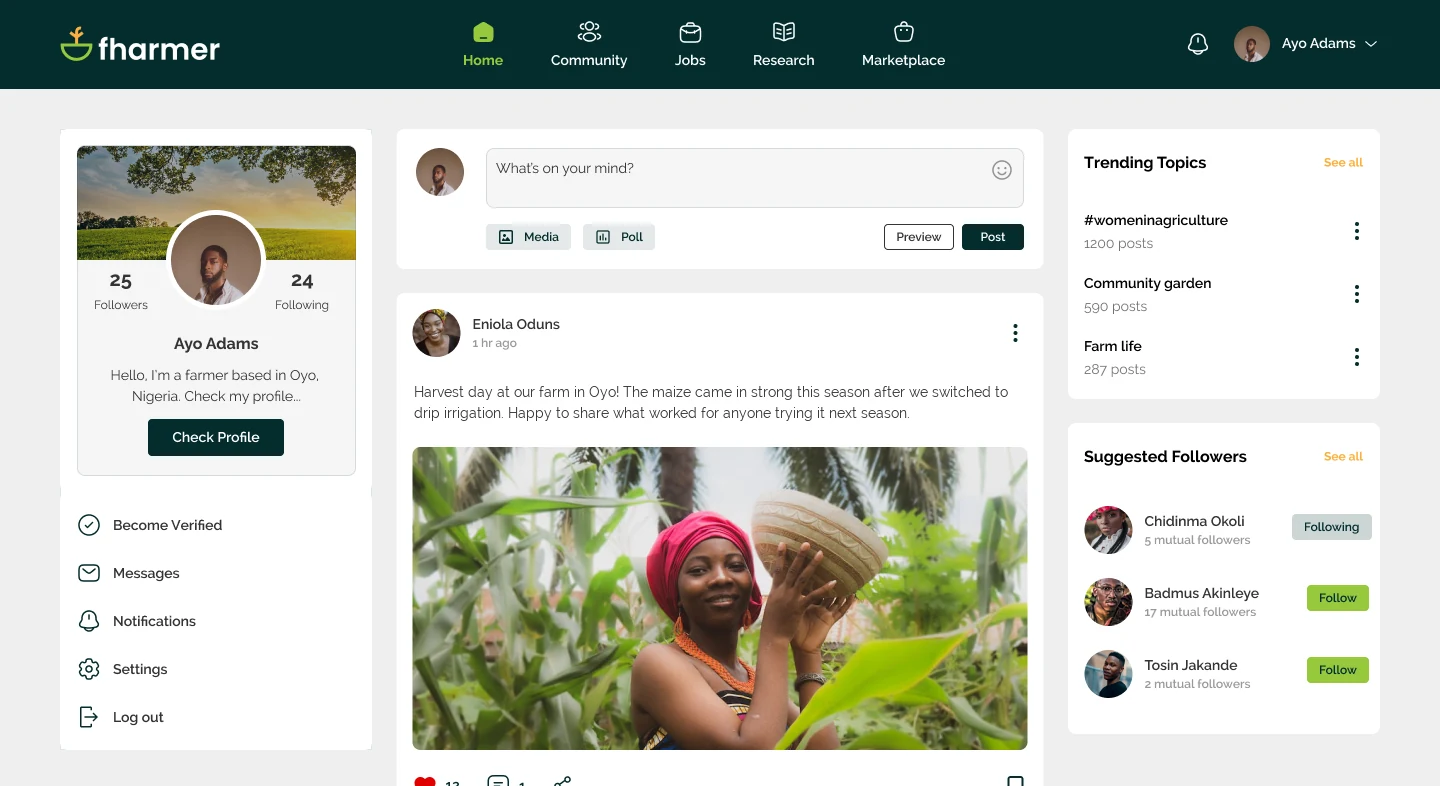
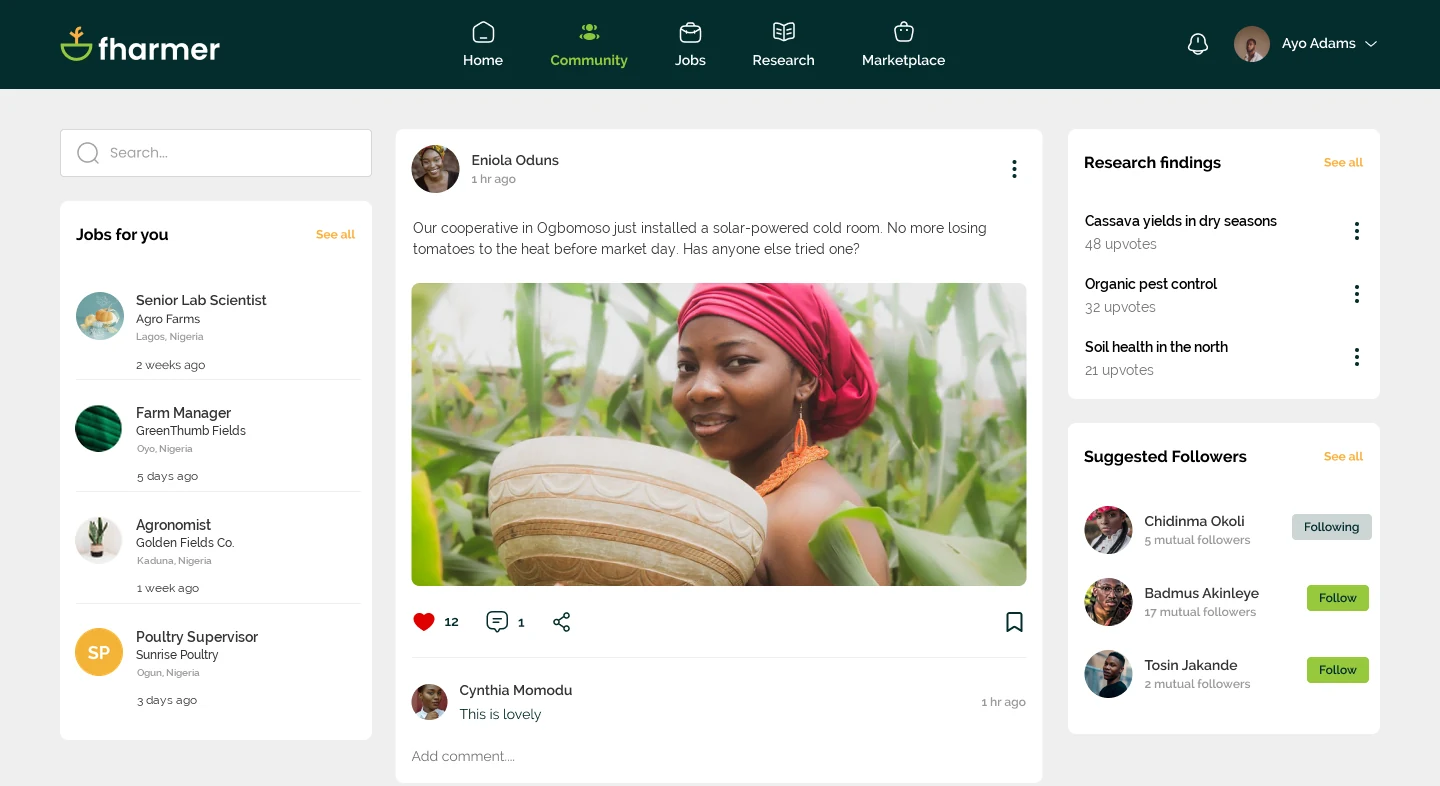
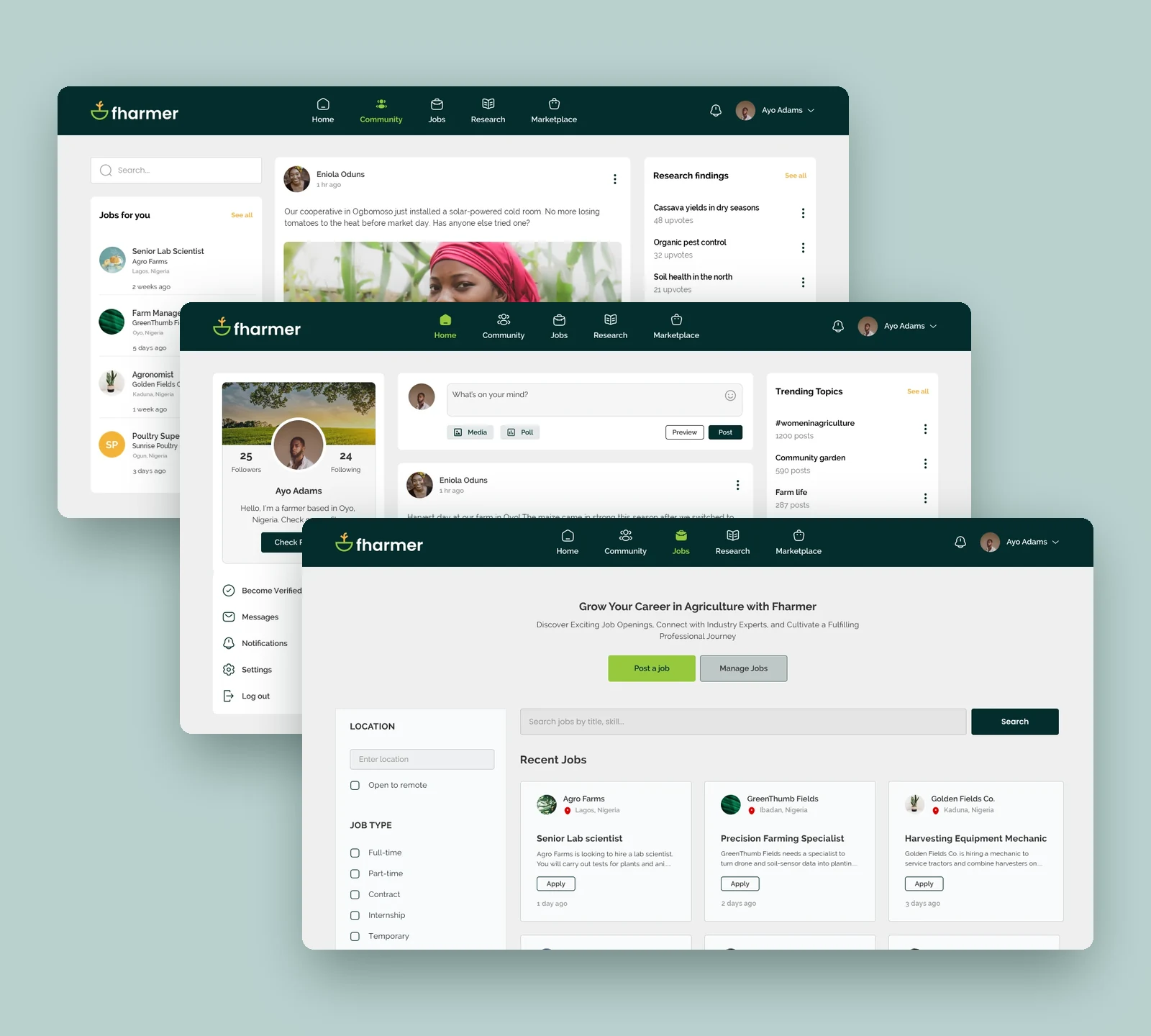
Feed and Community were both social, so each got its own tab: Feed for posts from everyone, Community for groups built around a shared interest. Jobs, Research and Demand Hub got their own tabs too, so job ads, articles and supply requests didn’t get lost among everyday posts.

01 / Live

Feed

See posts and updates from people across the platform.

02 / Live

Community

Join groups and talk about a shared farming interest.

03 / Live

Jobs

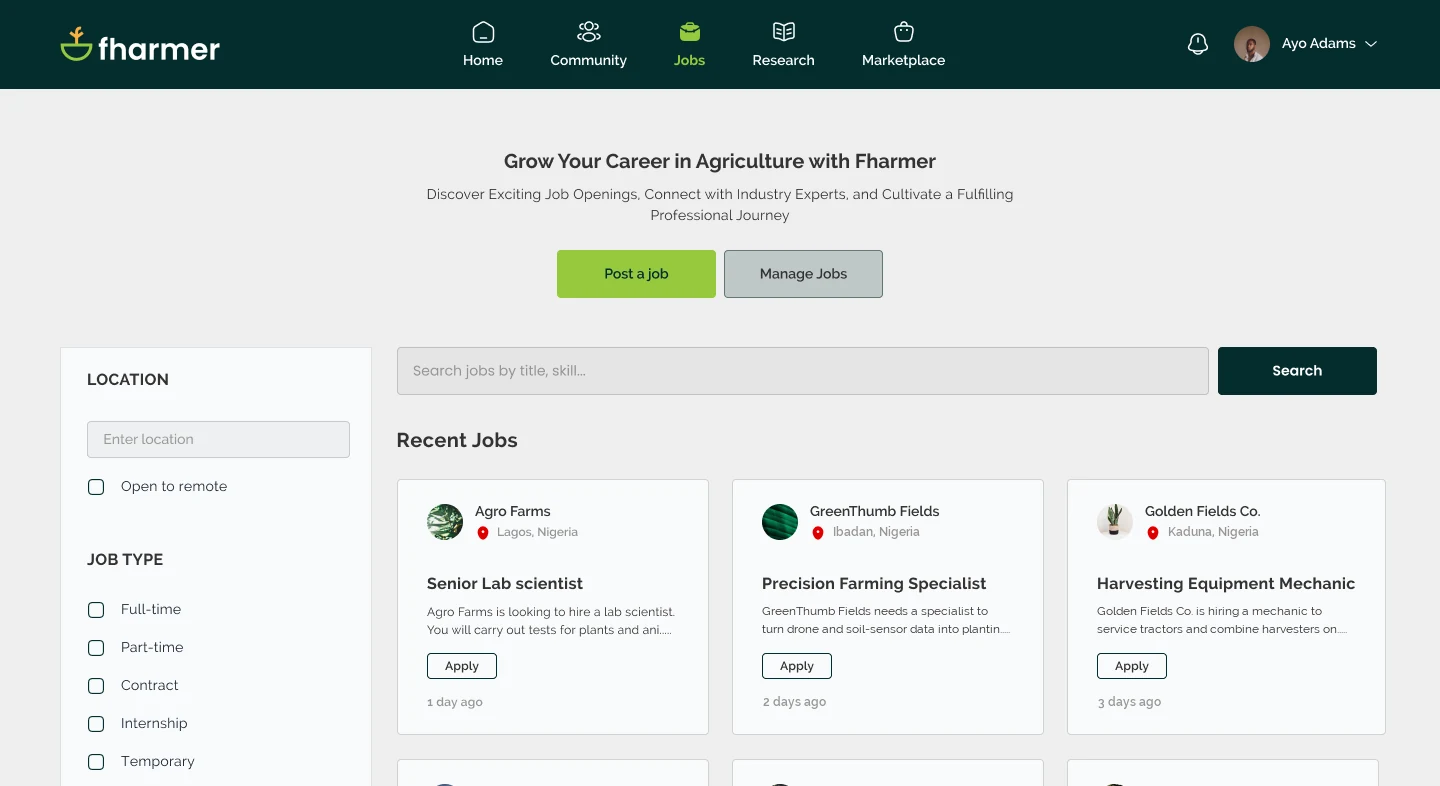
Find a job, or post one for people in agriculture.

04 / In development

Research

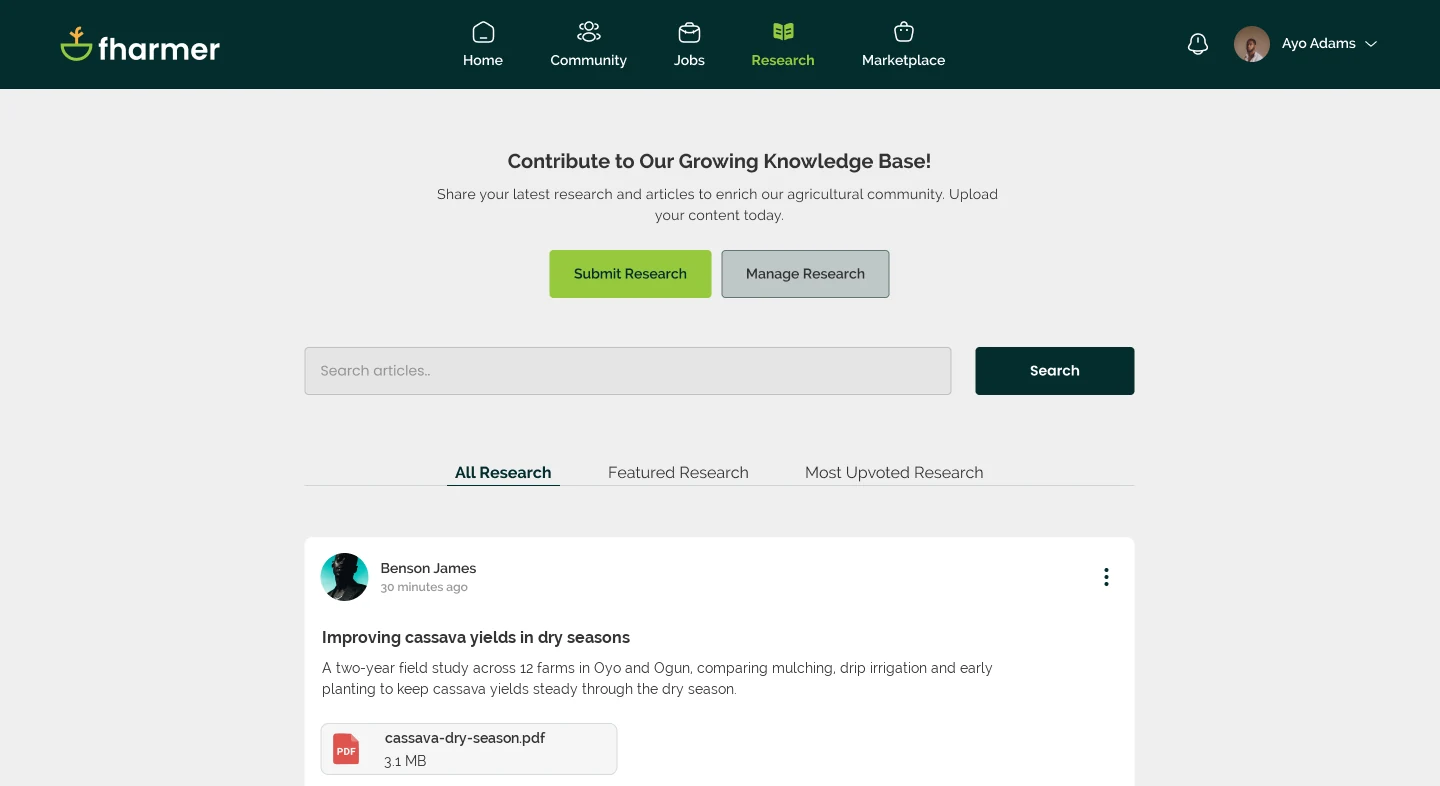
Publish research articles and discuss them.

05 / In development

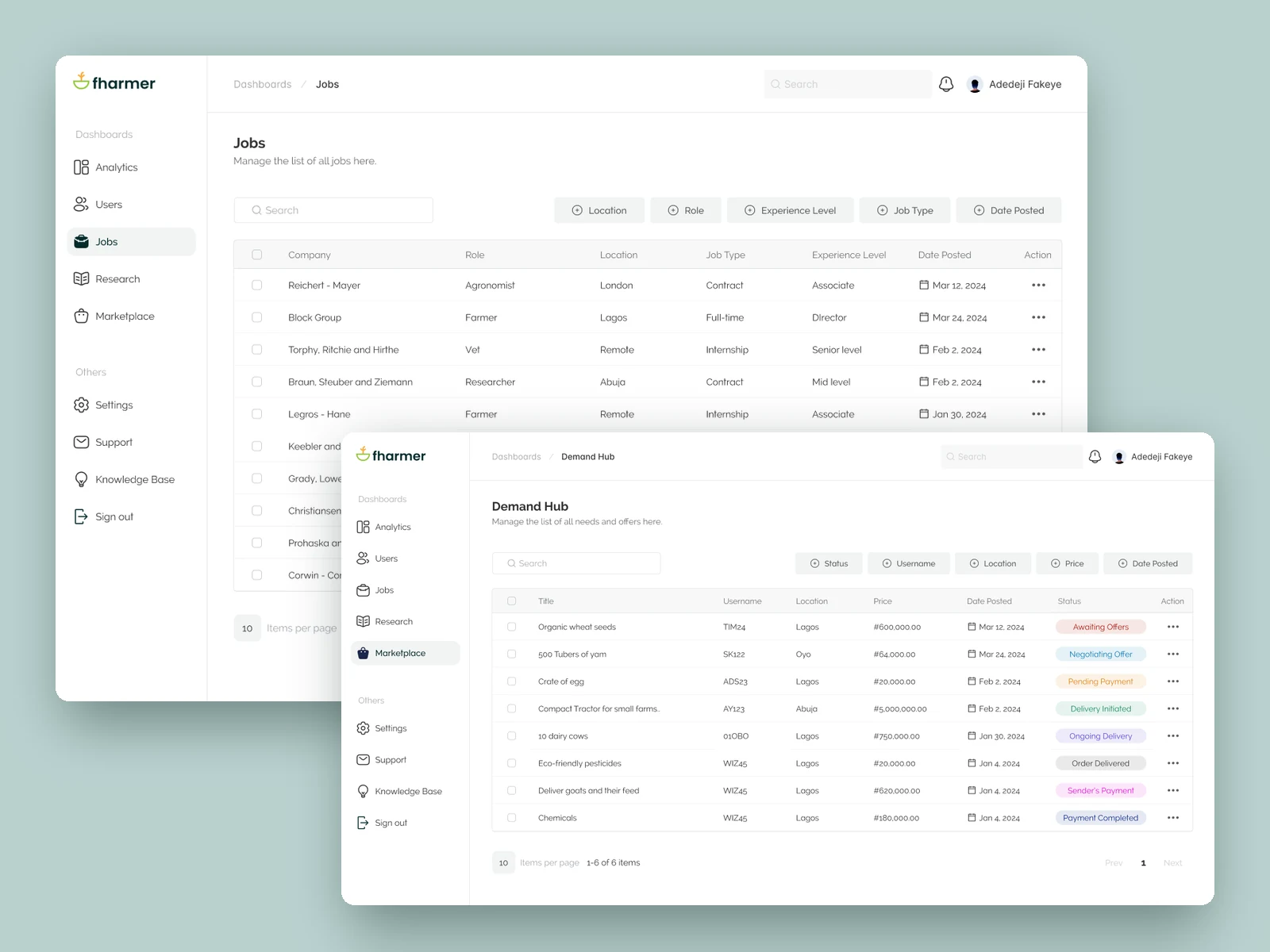
Demand Hub

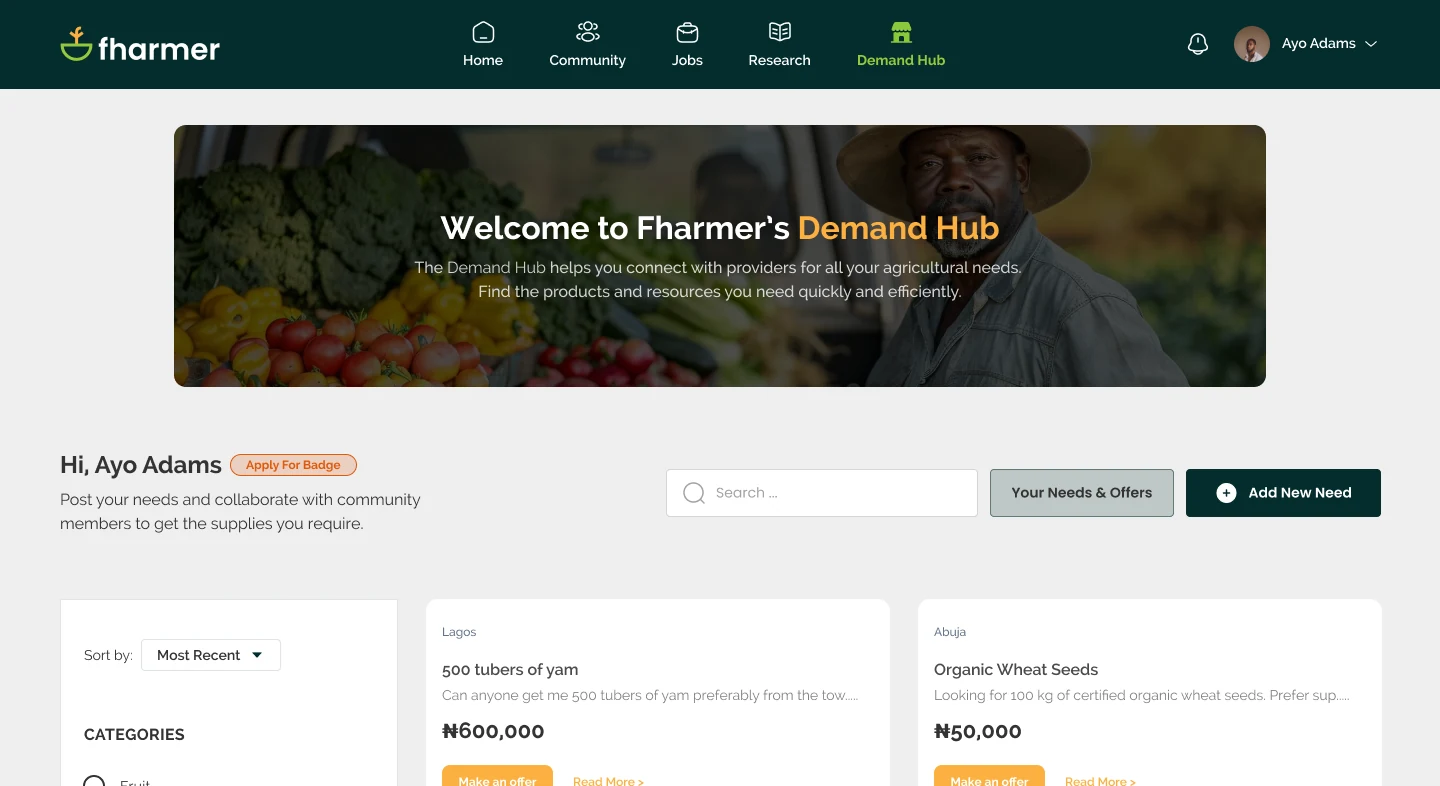
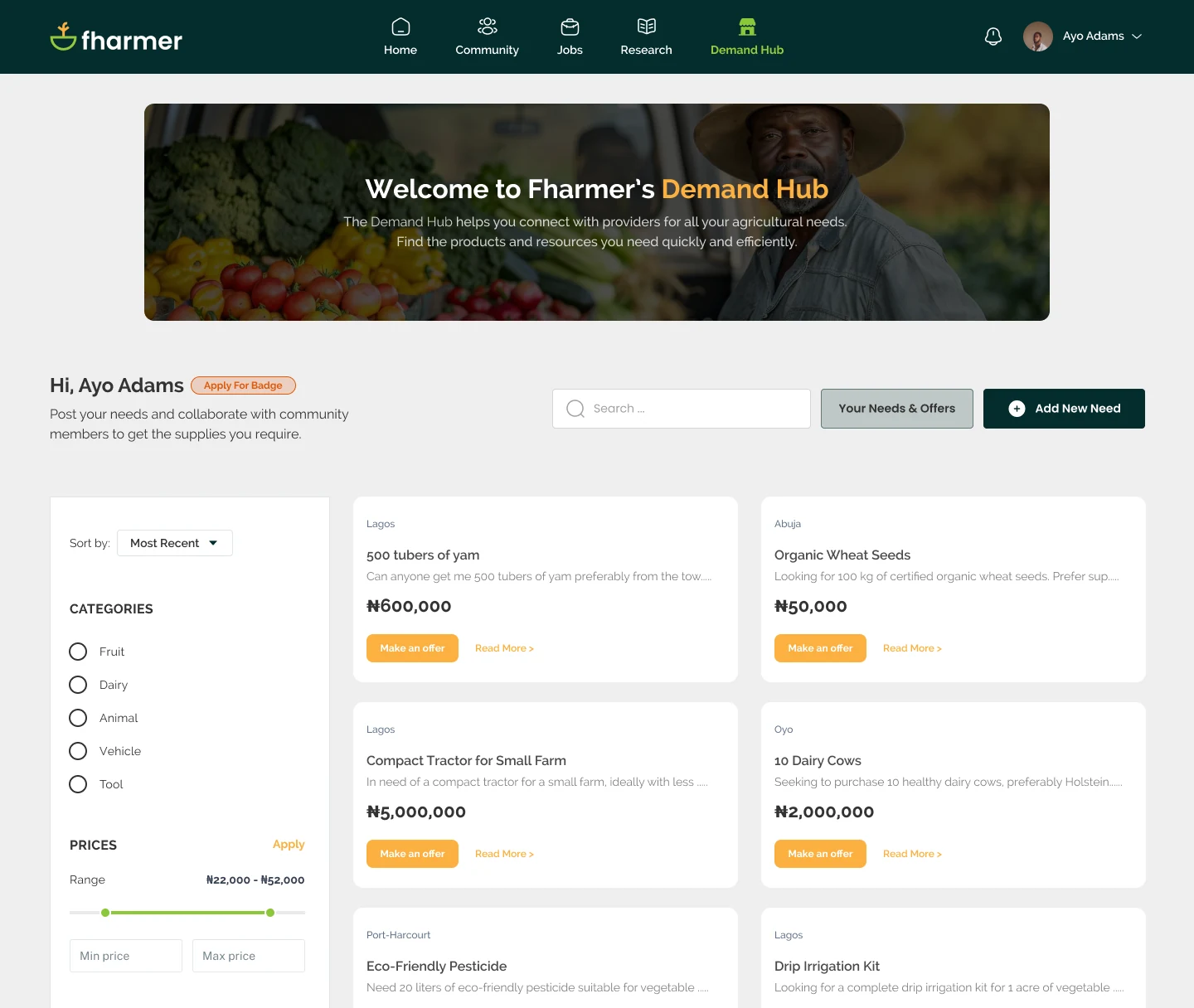
Formerly Marketplace. Post what you need to buy, get offers from suppliers and arrange delivery.

First release: feed, community, jobsIn development: research, Demand HubSales Hub designed, then paused
Fharmer, screen by screen
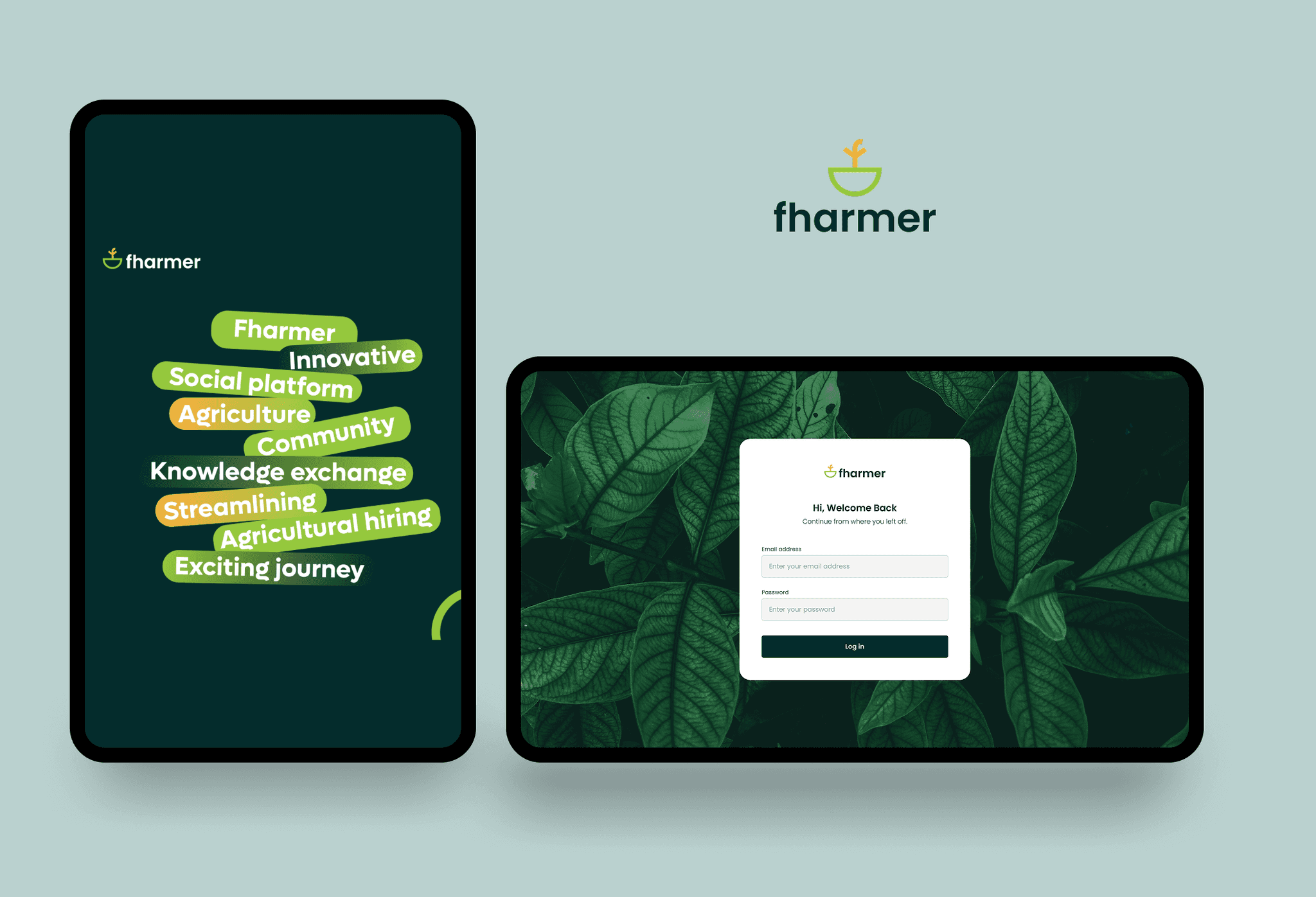
Tablet and mobile screen
01 / 07

Tablet and mobile

The same product on every screen size, from splash to sign in.

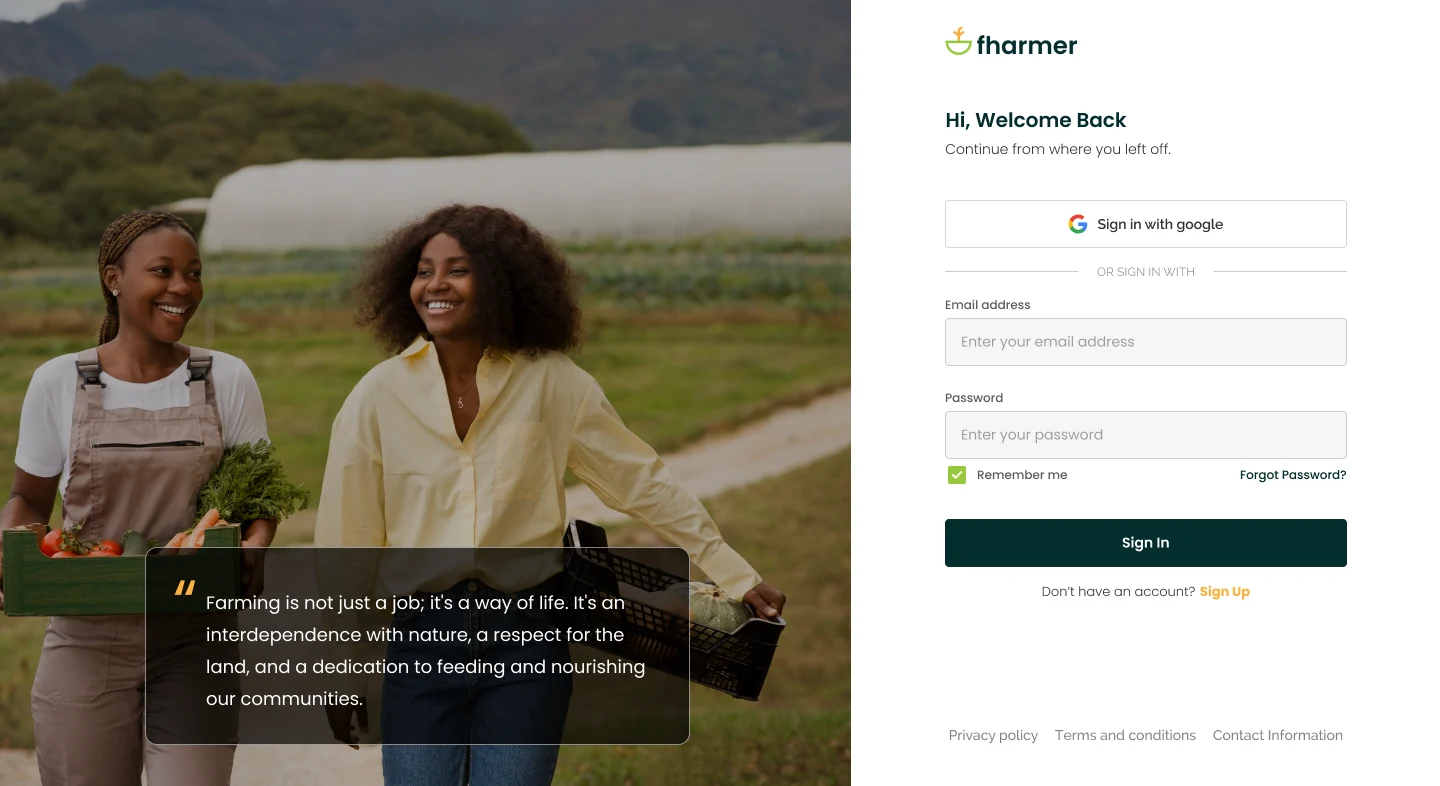
Sign in screen
02 / 07

Sign in

Email or Google sign-in, with the people Fharmer is for front and centre.

Feed screen
03 / 07

Feed

Posts and updates from everyone, with trending topics and people to follow.

Community screen
04 / 07

Community

Groups built around a shared interest, with job and research highlights alongside.

Jobs screen
05 / 07

Jobs

Search and filter agricultural roles, or post one.

Research screen
06 / 07

Research

Submit, browse and upvote research articles.

Demand Hub screen
07 / 07

Demand Hub

Buyers post what they need; suppliers reply with an offer.

(03)Discovery

Talk to the people who would use it before designing.

I spoke with a small number of farmers, students and job seekers, learned from the product owner’s years in agriculture, and looked at how social apps, job boards and online marketplaces already work.

01

Product owner sessions

Learn who the app was for, what the business needed and how the agriculture sector works.

02

Interviews

Ask farmers, students and job seekers what they wanted to get from a platform like this.

03

Competitor analysis

Compare how Facebook, X/Twitter and Quora get people posting and discussing, how LinkedIn, Indeed and Jobberman handle job posts and applications, and how Jiji and Facebook Marketplace handle product listings.

Crops in the field

Student

Learn from shared research and contribute findings of their own.

Job seeker

Find farming jobs and show their work experience.

Employer

Post a job and reach people who work in agriculture.

Buyer & supplier

Post what they need to buy, or offer to supply it.

(04)The change in direction

What if buyers posted what they needed first?

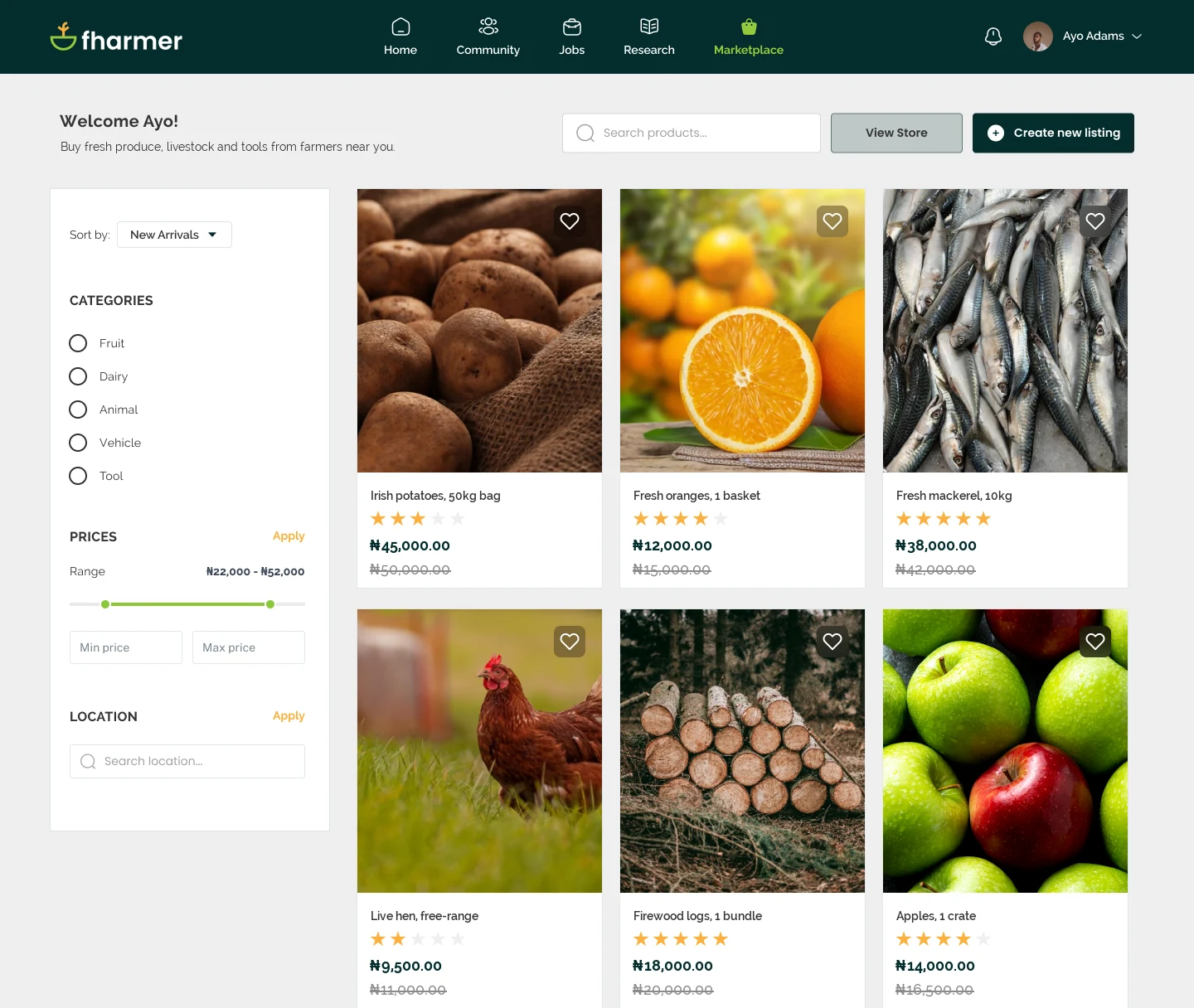
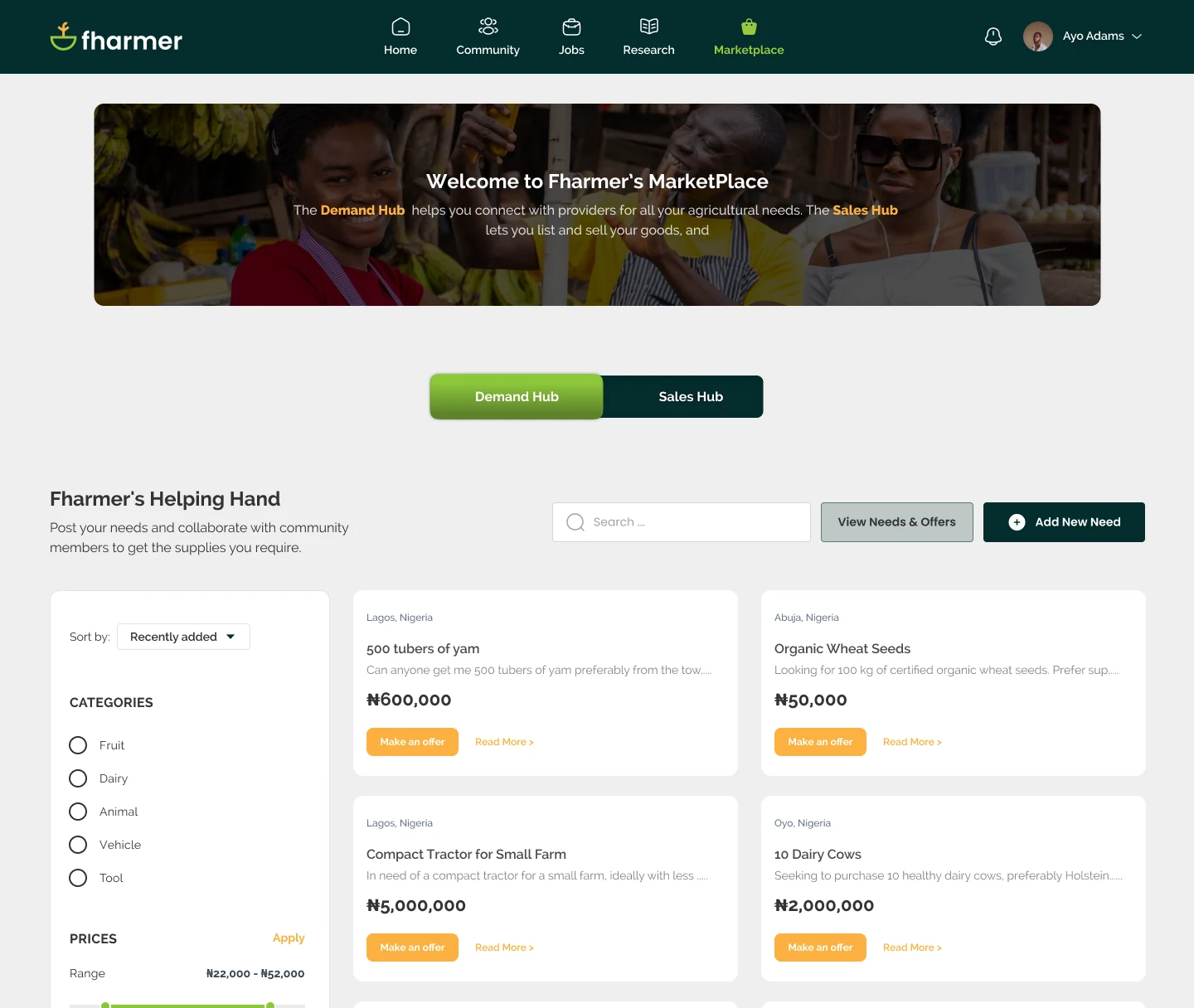
Marketplace started as a place for sellers to list products. The product owner then proposed a request-first model, so Marketplace split into two hubs: Sales Hub for the original listings and Demand Hub for requests. Sales Hub was later paused, and Marketplace became Demand Hub. I redesigned the screens and flows at each step.

Stage 01 / MarketplaceBecame Sales Hub
First Marketplace design

Sellers create listings; buyers search and browse available products.

Stage 02 / Two hubsSales Hub paused
Marketplace with Demand Hub and Sales Hub

The original selling flow became Sales Hub, and Demand Hub was added so buyers could post what they needed.

Stage 03 / Demand HubIn development
Demand Hub design

Sales Hub was paused. Marketplace became request-first: buyers post a need and suppliers respond with offers.

(05)How Demand Hub works

Designing for both the buyer and the supplier.

Demand Hub was the most complex part of my work. A request, several offers, back-and-forth on price, payment and delivery all had to stay easy to follow for both the buyer and the supplier. It was in development at the time of my involvement.

01State a needQuantity, product, budget, place and timeframe
02Make an offerPrice, quantity and delivery fee
03NegotiateReview, counter-offer and accept
04Pay & deliverFharmer holds the payment; the supplier shows proof of delivery
05ConfirmThe buyer confirms it arrived and the payment is released
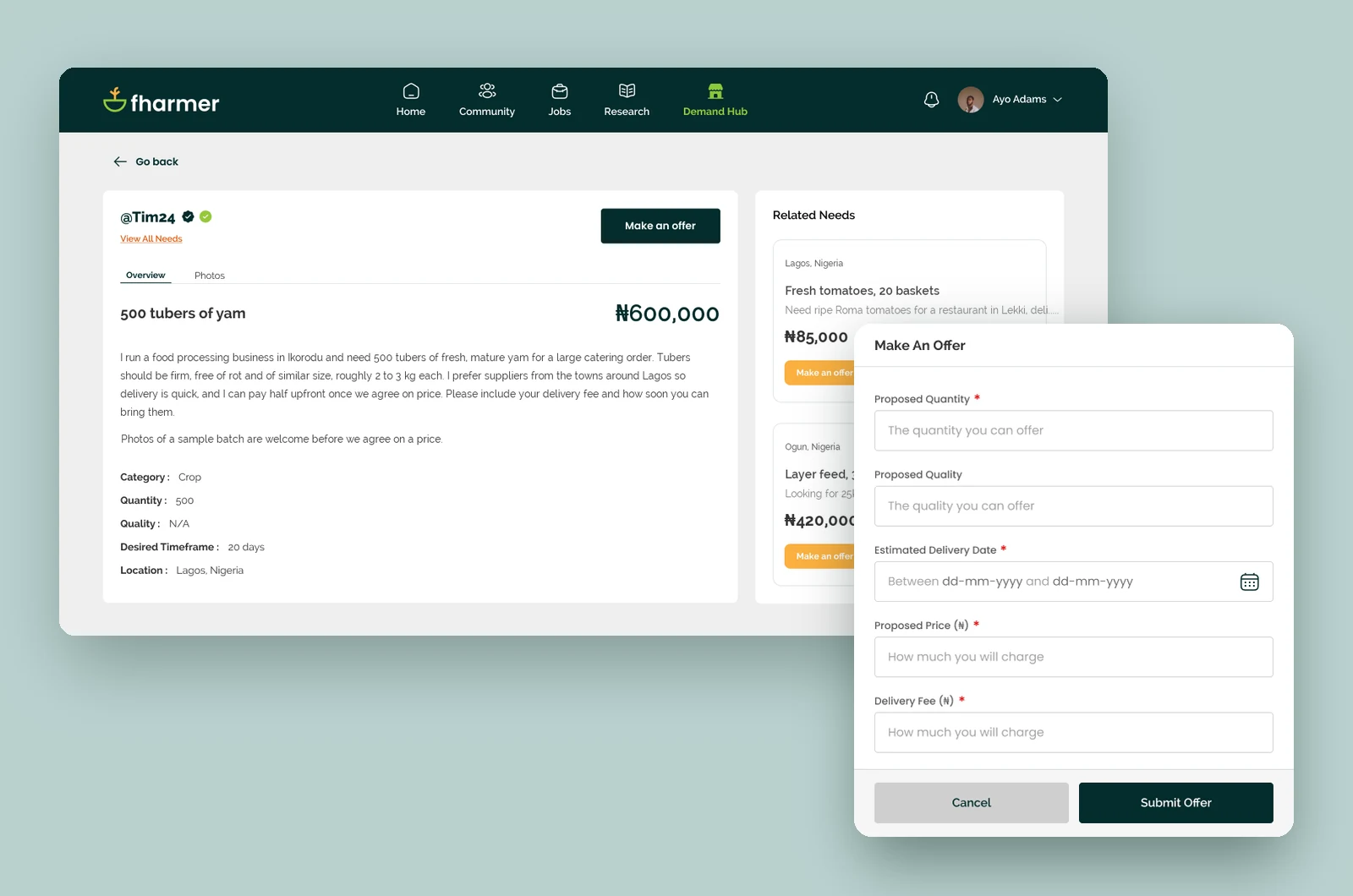
01 / Request & offer

Start with a real request.

Buyers post exactly what they need instead of searching listings and hoping someone sells it. Suppliers see the request and reply with quantity, quality, price and delivery terms.

Demand Hub request page with the Make an Offer form
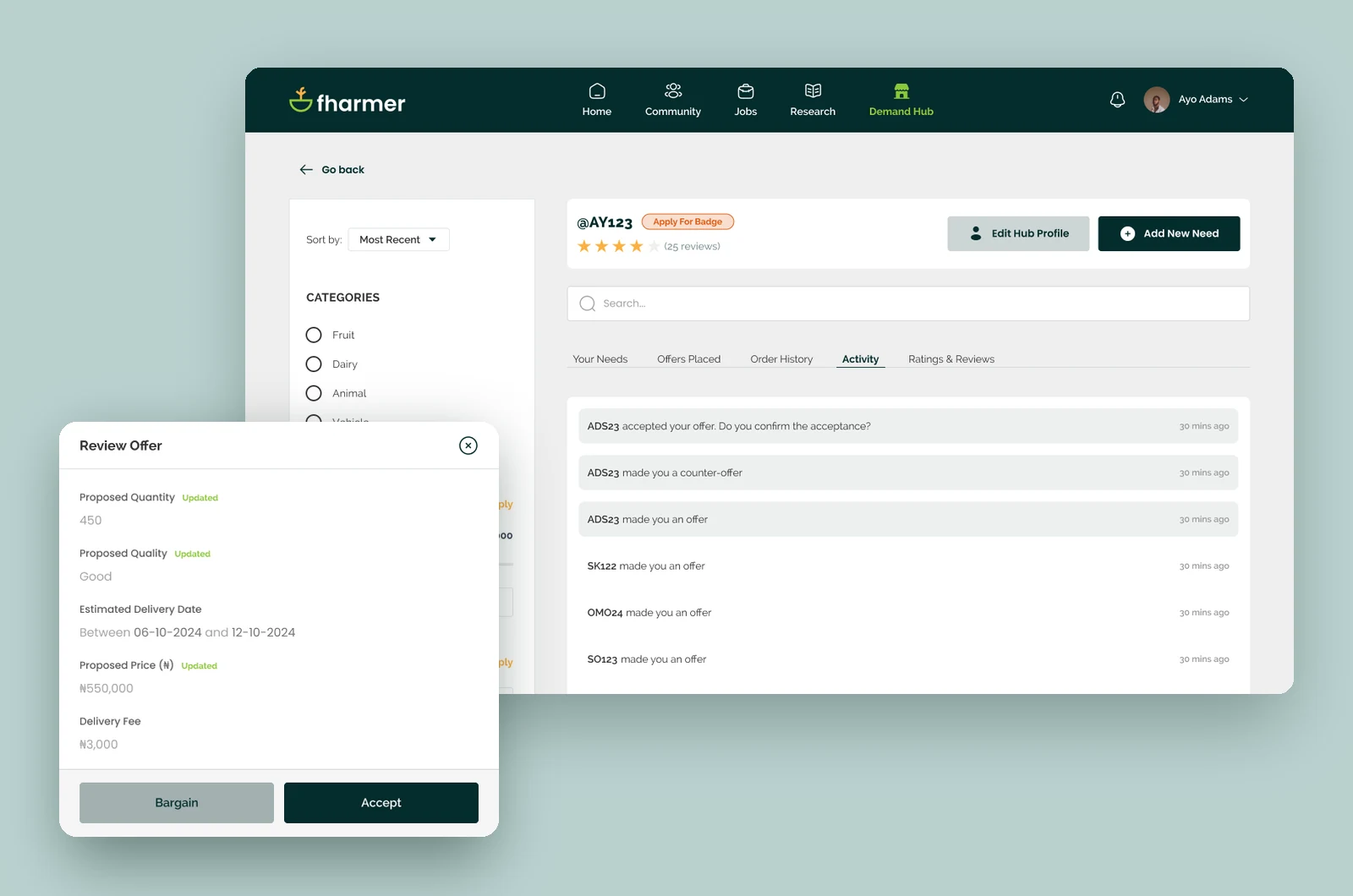
02 / Negotiate

Keep track of every offer.

Every offer and counter-offer is saved in a history, so both sides can see how the price changed. People also got a separate Demand Hub username, so they could buy and sell without showing their main profile name. This came from design reviews and talks with the product owner.

Demand Hub activity log with the Review Offer form
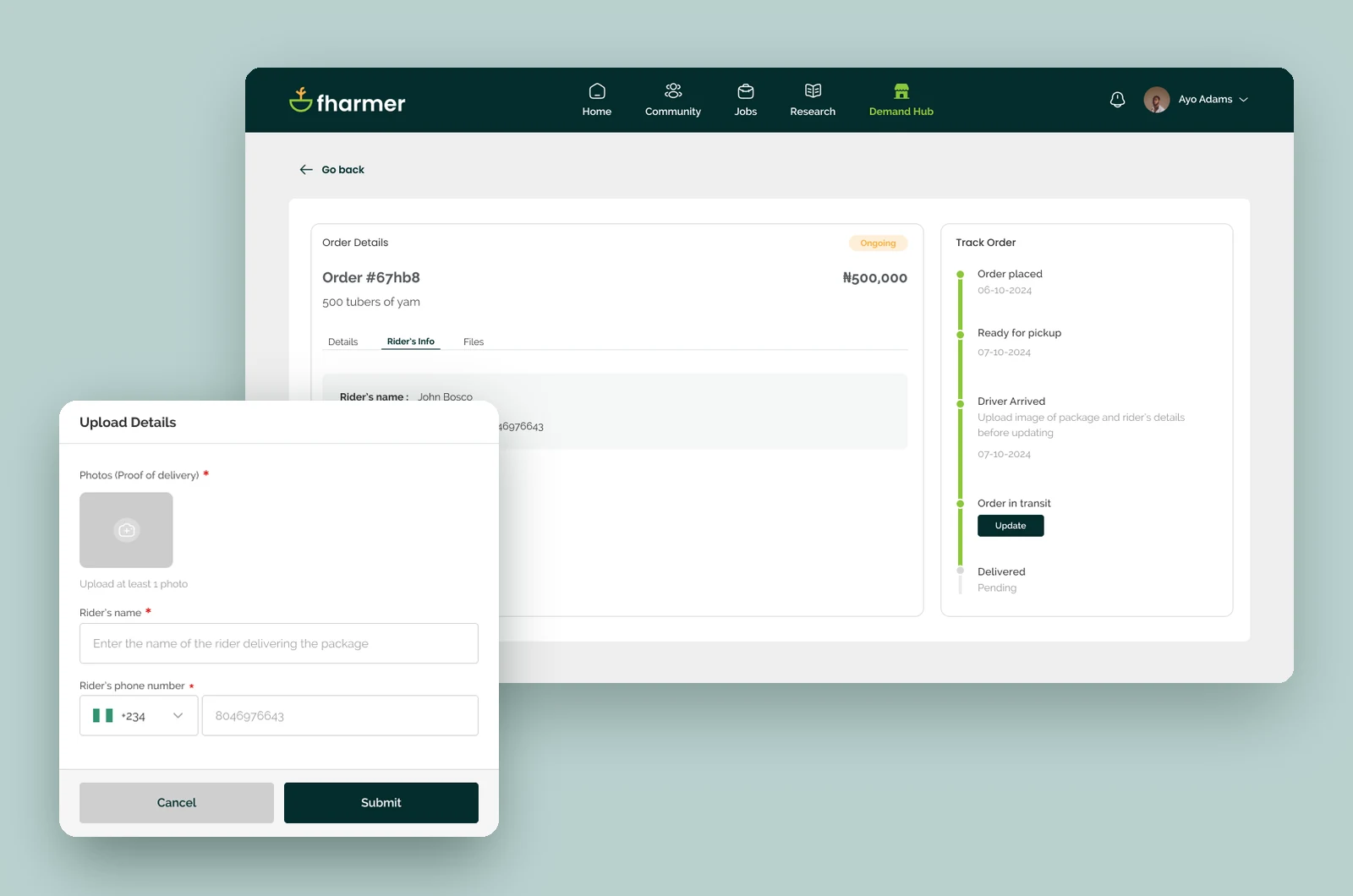
03 / Delivery

Prove the order arrived.

After user feedback, suppliers add product photos and the rider’s details before sending an order, and the buyer confirms when it arrives. The supplier arranges delivery. The plan was for Fharmer to take a 5% commission and hold the payment until the buyer confirms, with disputes sorted out offline.

Demand Hub order tracking with the proof-of-delivery upload form
(06)Decisions & feedback

What changed, and why.

Some changes came from user feedback, others from design reviews and talks with the product owner. Each card says where the change came from.
Design review

Demand Hub username

People could buy and sell under a Demand Hub username instead of showing their main profile name every time.

Design review

Offer history

A record of every offer and counter-offer made long negotiations easier to follow.

User feedback

Group messaging

Chats could include more than two people.

User feedback

Delivery confirmation

Suppliers add product photos and rider details, and the buyer confirms the order arrived before payment is released.

(07)Across the platform

One account for everything on Fharmer.

The first release let people post, join groups and find jobs. Research and Demand Hub used the same account, so nobody had to sign up twice. Getting verified once applied everywhere, and Demand Hub had a shortcut to the same verification steps.

Fharmer community, feed and jobs screens

Feed, groups & jobs

Live in the first release.

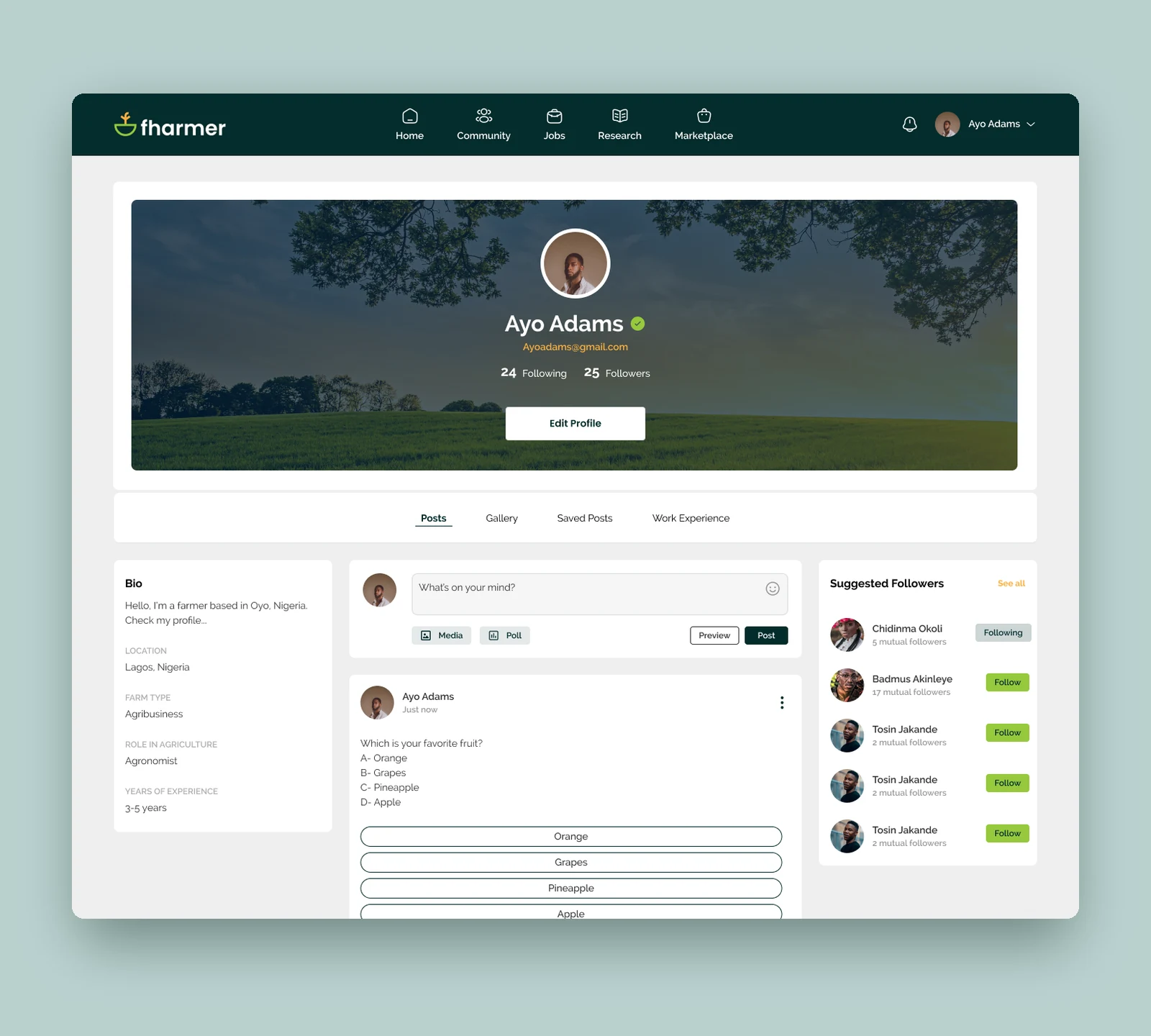
Fharmer profile with the verified badge

Profile & verification

Verify once and it shows across Fharmer.

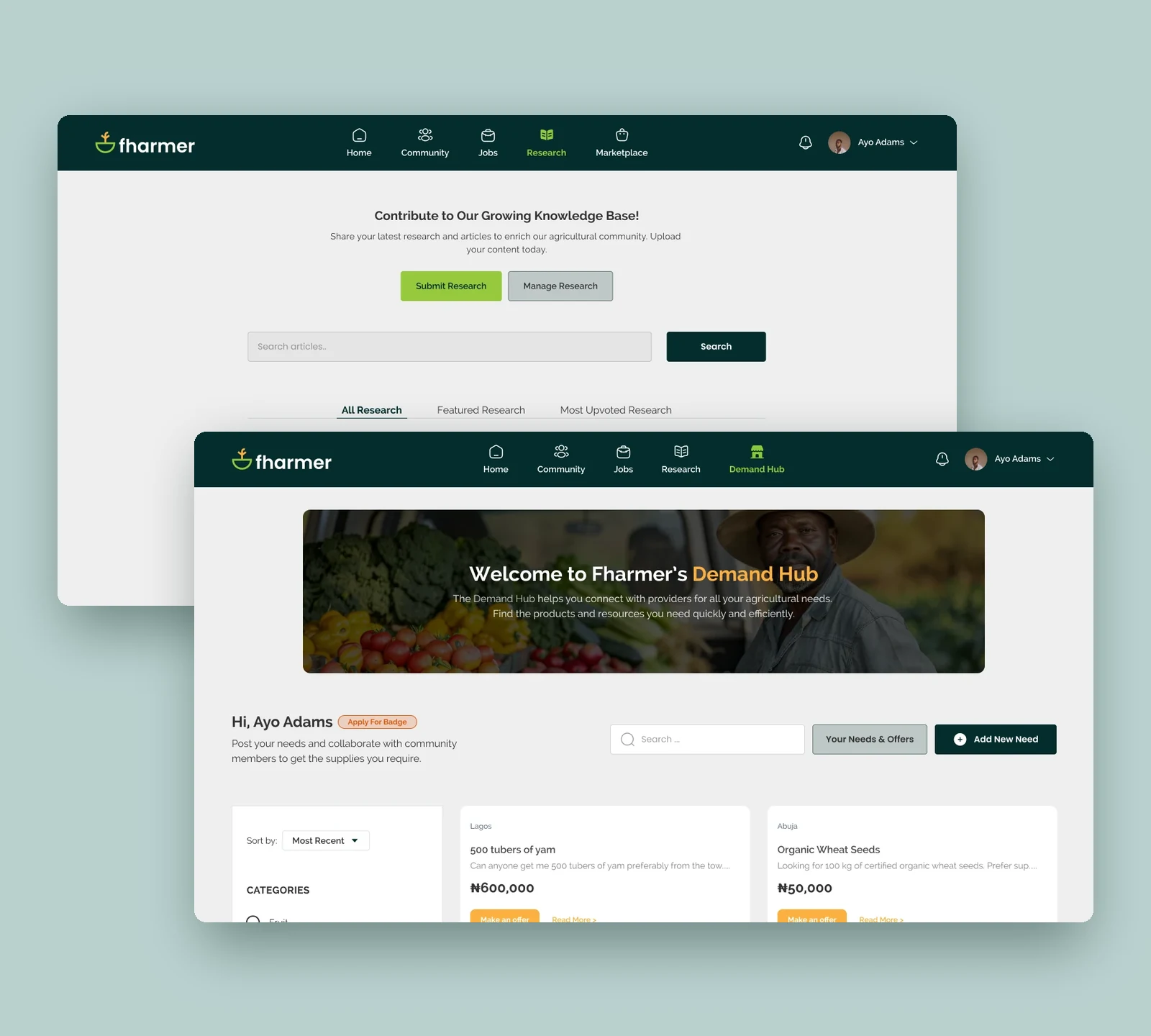
Fharmer research and Demand Hub screens

Research & Demand Hub

Designed; still being built.

(08)Admin & operations

The other side of the platform.

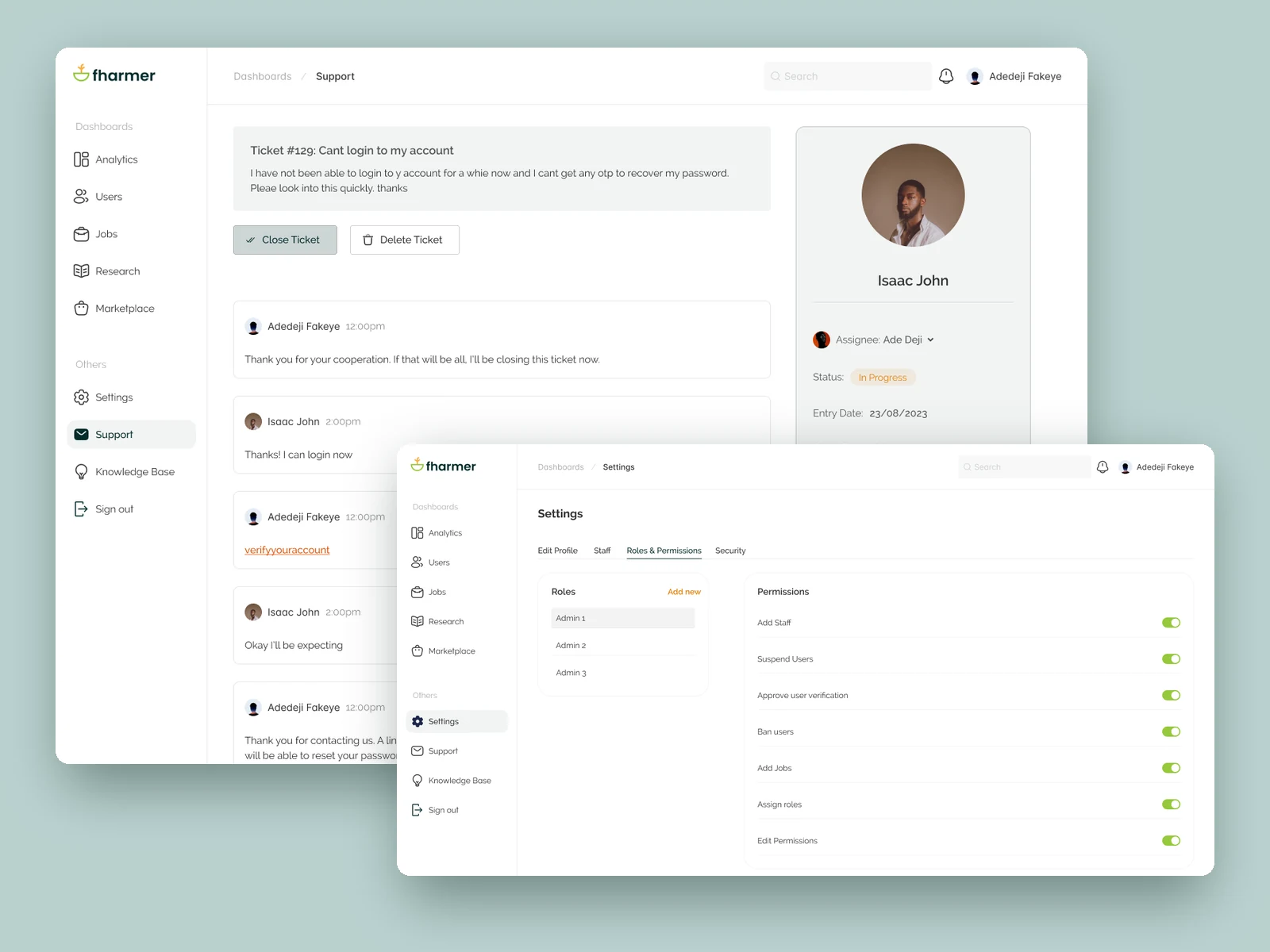
I designed the admin and staff workspaces for activity review, member and content management, support, and access control. Their launch status is unknown.

Overview & people

Analytics for users, activity, roles, locations and feature use; searchable user records, verification documents and account actions.

Content & exchange

Jobs and Research management; Demand Hub needs, offers, negotiation and order statuses. A separate legacy Marketplace area also appears in the admin file.

Service & access

Ticket handling, knowledge base categories and articles, staff accounts, roles and permissions.

01 / Trust

Check who is behind an account.

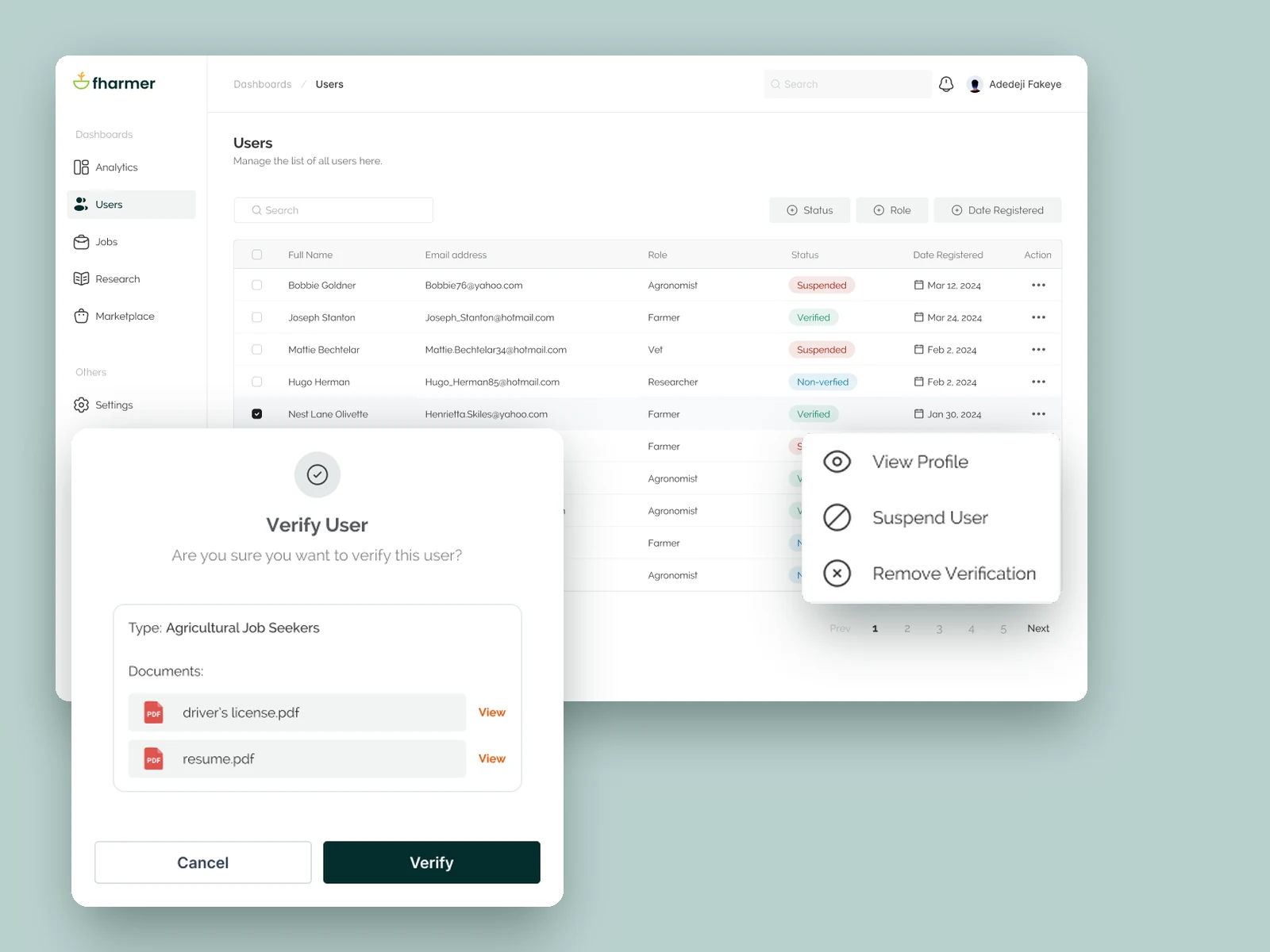
Admins can search users and filter them by status and role. Each profile shows the person’s role in agriculture, their experience and their verification documents. From there, admins can verify someone or remove their verification, suspend or restore an account, and change what they can access.

Verification covers the whole platform; the shortcut in Demand Hub opens the same verification steps.

Fharmer admin users table with the user actions menu and Verify User dialog
02 / Jobs, research & orders

Let admins act on every list.

Jobs have a table and an add-job form for the company, role, location and what applicants need. Research has All and Featured views, search by category and a way to remove articles. Articles were meant to go live without approval, but admins can still edit or remove them later.

For Demand Hub, admins follow each request through its stages: waiting for offers, negotiating, waiting for payment and delivery. I designed this while Demand Hub was still being built.

Fharmer admin jobs table with the Demand Hub requests table
03 / Support & permissions

Help the team fix problems.

Support tickets move between open, on hold, escalated, closed and reopened, and each has a message thread for replies. Settings control who can suspend users, approve verification, create jobs and assign roles. Help articles are grouped into categories.

A separate staff dashboard covers the main support tools.

Fharmer admin support ticket thread with roles and permissions settings
(09)Design system

One set of styles for posts, jobs and admin screens.

A deep teal primary with a fresh green accent and the logo’s warm orange, Raleway for text and Poppins for buttons and filters. The components cover social posts, job posts, groups and polls.

Primary colour#042C2C
Primary colour 2#96C93D
Logo orange#FAAF40
Text#333333
Background main#EEEEEE
Card#F9FAFB
Like#DF0000
Poll result#FDC97C → #96C93D
Typography

Raleway & Poppins

Title · Raleway 16 BoldSenior Lab scientist
Name · Raleway 14 SemiBoldAgro Farms
Option · Raleway 14 MediumWhich is your favorite fruit?
Body · Raleway 12 RegularAgro Farms is looking to hire a lab scientist.
Action · Poppins 14 SemiBoldFollow
Chip · Poppins 14 LightCrop Farming

Raleway is used for text; Poppins for buttons and filters.

Shape

Slightly rounded corners.

Cards & buttonsRadius 4
Filter chipsRadius 8
Poll optionsRadius 100
Card border#333333 · 20%
IconsSolar, linear & bold

Components

Top navigation
HomeCommunityJobsResearchMarketplace
Ayo Adams
Post composer
What’s on your mind?
MediaPollPreviewPost
Post card
Eniola Oduns1 hr ago

Harvest is in. Sharing a few photos from the farm this morning.

A farmer holding a tablet in a vegetable field
121
Cynthia MomoduThis is lovely
1 hr ago
Add comment…
Poll · results

Which is your favorite fruit?

Orange33%
Grapes ✓38%
Pineapple17%
Apple13%
24 votes · 12 hours left · UNDO
Job card
Agro FarmsLagos, Nigeria

Senior Lab scientist

Agro Farms is looking to hire a lab scientist. You will carry out tests for plants and ani…

Apply1 day ago
Notifications

Benson James commented on your post:

This is lovely
30 min ago

Benson James upvoted your research

30 min ago

Benson James just followed you

Follow Back
30 min ago
Suggested followers
Chidinma Okoli5 mutual followers
Following
Badmus Akinleye17 mutual followers
Follow
Tosin Jakande2 mutual followers
Follow
Follow
FollowFollowing
Text field
Title
Enter research title
Select
Category
-select-
File upload
Select a file or drag and drop herePDF, file size no more than 10MB
SELECT FILE
Primary button Submit Research
Tabs
AllJobResearchFlagsMarketplace
Hub switch
Demand HubSales Hub
Search & actions
View StoreCreate new listing
Settings menu
Edit ProfilePrivacy
Filter chips & checkbox
Crop FarmingCrop Farming
✓
(10)Release & evidence

The first release found its users.

Feed, Community and Jobs launched first. A June 2024 pitch deck recorded how many people were using them. These numbers are for those launched features, not Demand Hub, which was still being built.

~350users reported in the 2024 pitch deck
100+applications to a competition held on Fharmer
215votes recorded during that competition
(11)Reflection & next steps

What the scope taught me.

Sequence a broad product.

I designed the feed, communities, jobs, research, marketplace direction, Demand Hub, mobile experience and admin tools as the sole designer. The first six-month phase extended to twelve. Looking back, I would record a release boundary and acceptance criteria for each module at the start of every phase, so the team could distinguish a completed design from a build ready to ship.

Risky actions need clear owners.

Every member feature had an admin side to it: someone reviewing verification, moderating content, answering tickets or setting permissions. Those tools needed the same care as the member experience. Next time, before development starts, I’d decide who can take each high-risk action, such as suspending an account or settling a payment dispute, and make sure every one is recorded.

Next steps if the product continues

Test the full exchange

Run scenario-based sessions with buyers and suppliers from posting a need through offer comparison, negotiation, dispatch and receipt. Record where they lose track of terms or responsibility.

Specify exception handling

Document failed delivery, partial fulfilment, disputed quality, refunds and the staff decision path before enabling escrow. Confirm that the 5% fee is visible at the point of commitment.

Measure and extend access

If Demand Hub launches, instrument request-to-offer and completed-order stages before claiming impact. Test SMS alerts and reply flows with farmers who have limited internet access.